
You are ready for an upgrade.
Mailchimp served its purpose well.
But the modern digital landscape demands more than just basic email marketing.
Today, success relies on seamless, multi-channel integration.
It requires a unified, 360-degree view of the customer journey.
Are you still juggling spreadsheets and separate marketing platforms?
If you run a growing SaaS or service business, this fragmentation is costing you time and money.
We are in 2025. Your lead data must live in a central, intelligent system.
This is not just about moving data. This is about building a foundation for scalable, AI-powered lead generation.
This comprehensive guide details the precise steps for migrating leads from Mailchimp to new CRM tool.
We will minimize downtime and maximize data integrity.
Let’s unlock the full potential of your lead database.
Strategic Planning: Why Your Mailchimp Data Needs a New Home

Migration is a strategic project.
It is not just a technical chore.
You are moving from a focused email tool to a comprehensive sales and marketing engine.
Why are so many businesses making this critical switch now?
The primary driver is demonstrable Expertise, Authority, and Trust (E-E-A-T).
Trustworthiness requires consistent data access. Authority is built on deep, unified customer knowledge.
A dedicated CRM, especially one integrated with AI lead generation tools like Pyrsonalize.com, provides the 360-degree view necessary to achieve modern E-E-A-T standards.
Defining Migration Objectives
Start with the end in mind.
What specifically do you hope to achieve with the new CRM?
Simply replicating old processes is a wasted opportunity and a poor return on investment.
Your goals must align with modern lead management needs:
- Integrated CRM Features: Centralizing sales and marketing data for unified reporting and pipeline management.
- Enhanced Automation: Utilizing complex, multi-channel workflows beyond basic email sequences (e.g., SMS, task creation).
- Improved Lead Scoring: Leveraging AI tools to score leads based on comprehensive behavioral data captured directly in the CRM.
- Cost Efficiency: Consolidating disparate marketing tools to reduce overall SaaS spend by 10-20%.
Document these objectives clearly.
They will guide every decision during the complex data mapping phase.
Data Auditing and Backup Strategy
Your Mailchimp account holds critical assets.
You must know exactly what needs to be moved and what needs to be retired.
This preparation phase is non-negotiable for a clean transition.
Preparation Steps for Migration Success
- Review Current Mailchimp Setup: Identify all active audiences, key campaigns, and running automation workflows. List them out meticulously.
- Document Design and Content: Take screenshots and detailed notes of all key forms, landing pages, and email templates. You need to replicate the user experience precisely in the new environment.
- Evaluate Data Volume and Quality: Assess the number of contacts. More importantly, identify stale, bounced, or unengaged contacts. This is the perfect time for a significant data clean-up.
- Export and Backup Data: Export all relevant data immediately. This includes contact lists (with all custom fields), campaign reports, and automation settings. Securely back up these CSV and documentation files outside of Mailchimp.
Data integrity starts here.
Do not attempt the transfer without a complete, clean backup.
Mailchimp Asset Comparison: Feature Mapping
Mailchimp features often translate differently into a full CRM suite.
Understanding this translation is key to seamless workflow recreation and leveraging new capabilities.
Here is a comparison of typical assets and their CRM equivalents:
| Mailchimp Asset | Primary Function | CRM Equivalent | Migration Action |
|---|---|---|---|
| Audience/Lists | Contact Segmentation | Contacts/Leads Module & Tags/Segments | Export as CSV, map fields, import. Define new dynamic segmentation rules. |
| Campaigns (Sent Emails) | Email Communication History | Email Templates/Marketing History Log | Export content/HTML, recreate as CRM templates. Ensure template responsiveness is modern. |
| Automations/Journeys | Drip Sequences & Follow-ups | Workflows/Funnels/Nurture Tracks | Document flow logic, rebuild using CRM automation builder. Integrate sales tasks immediately. |
| Signup Forms/Landing Pages | Lead Capture | CRM Forms/Funnels/Sites Builder | Rebuild forms and embed codes. Update website links across your entire domain. |
Mapping these assets ensures you don’t lose functionality.
It also highlights where the CRM offers superior, multi-channel capabilities.
The Core Migration Process: Contacts, Campaigns, and Custom Fields
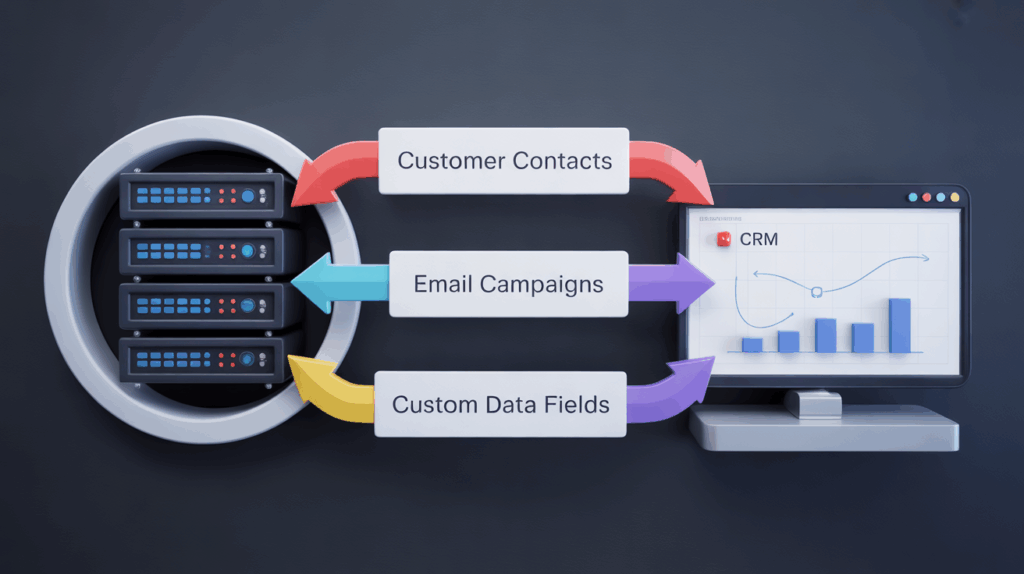
Strategic planning is complete. Now, the actual data transfer requires precision and technical rigor.
Your goal is zero data loss and maximum field accuracy.
This is where most small businesses encounter operational friction.
Exporting and Cleaning Lead Data
Start with your contacts.
They are the lifeblood of your business and the most sensitive data asset.
Step-by-Step Contact Export and Cleaning
- Export Contacts from Mailchimp: Navigate to Audience > All contacts. Export your audience data, ensuring you select all relevant fields, including custom fields, as CSV files.
- Validate Email Deliverability: Before importing, run your exported list through a bulk email verification tool (e.g., NeverBounce). Why pay for bounces? High bounce rates damage your new CRM’s sending reputation immediately. Studies show that migrating with a clean list can improve initial deliverability rates by up to 15%.
- Segment Data for Import: Separate subscribers based on their status (e.g., subscribed, unsubscribed, cleaned). You should only import active, subscribed leads into your primary CRM contacts module.
- Standardize Formatting: Review the CSV file. Ensure dates, phone numbers, and names are consistently formatted (e.g., YYYY-MM-DD for dates). CRMs are rigid; clean data prevents frustrating import errors.
This cleaning step is absolutely critical in 2025.
Low-quality data hinders AI lead scoring and wastes valuable outreach resources.
Mapping Custom Fields for AI Readiness
Mailchimp uses basic merge tags for personalization.
Your new CRM uses custom fields, often with specific data types (text, number, date, currency).
Mismatching these field types guarantees a headache later in automation and reporting.
Before importing, create corresponding custom fields in your new CRM.
Custom Field Mapping Requirements
- Identify All Mailchimp Merge Tags: List every tag used for personalization, segmentation, or conditional content.
- Create CRM Fields: In the CRM (under Settings > Custom Fields), recreate these fields. Pay close attention to the data type. A date field must be imported as a date field.
- Map Fields in CSV: Rename the columns in your exported CSV file to exactly match the internal names or API keys of the new CRM fields. This makes the import seamless and minimizes manual intervention.
- Set Default Values: If a field is mandatory in the CRM but optional in Mailchimp, ensure you have a default value ready for any empty cells in your CSV (e.g., ‘N/A’ for Industry).
This preparation ensures that when you upload the CSV, the CRM correctly assigns every piece of data to the right attribute.
Once your data is clean and fields are mapped, proceed to the final import.
In the CRM, navigate to the Contact or Lead import section. Upload the CSV and confirm the field mappings one last time before execution.
Rebuilding Automation and Lead Capture Workflows
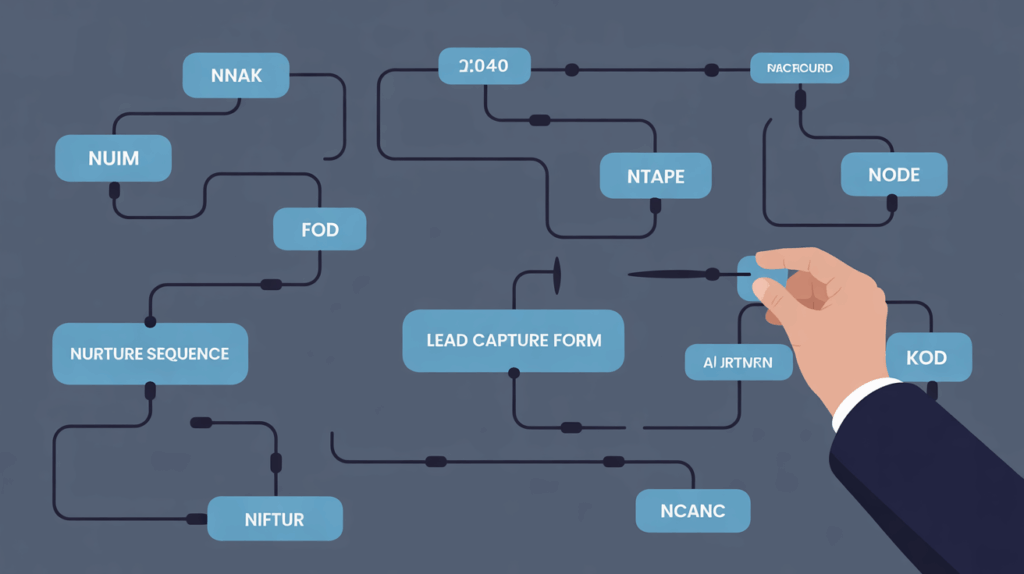
Moving contacts is only half the battle.
Your marketing engine runs on automation and workflows.
How do you transition complex drip campaigns and segmentation rules without interruption?
Transferring Email Campaigns and Templates
You cannot simply transfer Mailchimp’s proprietary email code directly.
You must rebuild the content within the new CRM’s native email builder.
This is an opportunity for design modernization and improved mobile responsiveness.
Recreating Campaigns in the New CRM
- Export HTML/Content: Access Campaigns > All Campaigns in Mailchimp. Export the reusable HTML or copy the text content directly into a temporary document.
- Choose or Create a Template: In the CRM (e.g., Marketing > Emails > Templates), select a suitable, mobile-responsive template that adheres to modern email standards.
- Recreate Content: Paste the text, re-upload high-resolution images, and meticulously check all links. Ensure personalization tags (now using CRM merge fields) are correctly inserted and tested.
- Set Up Compliance: Confirm that the CRM’s built-in unsubscribe links and physical address footers comply strictly with modern regulations (like GDPR and CAN-SPAM).
Recreating Complex Automation Flows
Automation workflows are the most critical element to document meticulously.
Mailchimp’s Journeys must become your CRM’s Workflows or Funnels.
Focus strictly on the logic: Trigger, Condition, Action.
For example, a “Welcome Series” triggered by a specific form submission needs to be recreated exactly.
The new CRM’s automation tools are usually far more powerful.
They can integrate sales tasks, lead scoring updates, and internal notifications, capabilities Mailchimp often limits to basic email functions.
Steps for Automation Workflow Migration
- Document Workflow Logic: For every Mailchimp automation, chart out the triggers (e.g., list join, tag added), conditions (e.g., opened email, specific segment), and subsequent actions (e.g., send email, add tag).
- Rebuild Workflows: In the CRM (Automations > Workflows), use the visual builder to recreate the documented flows. Start with the simplest, highest-volume flows first.
- Test Triggers: Ensure the new triggers (like form submissions or lead status changes) correctly initiate the sequence. Use a test contact record.
- Integrate Sales Actions: Leverage the CRM’s power. Add actions like “Create Task for Sales Rep” or “Update Lead Score” at critical points in the nurture track, linking marketing activity directly to sales action.
Do not activate these new workflows yet.
They must be tested thoroughly and validated before deployment.
Integrating AI Lead Generation Tools Post-Migration

Why move to a CRM if you don’t plan to use its full, integrated potential?
The move away from Mailchimp is fundamentally driven by the need for integrated AI capabilities.
Modern lead generation requires real-time data processing and intelligent outreach sequencing.
This is where specialized solutions like Pyrsonalize.com come into play.
The key benefit of having leads in a centralized CRM is that AI tools can access the full behavioral history-not just email opens, but website visits, sales calls, and deal stage.
This holistic view is invaluable for accurate lead scoring and personalized outreach sequencing. CRMs integrating enriched data see, on average, a 25% uplift in lead qualification speed.
Are you leveraging AI to predict client readiness?
Real-Time Syncing vs. Batch Migration
We have focused on batch migration so far.
But what happens after the initial move?
You need to ensure continuous, verified data flow between your new lead sources and your CRM.
Sometimes, businesses temporarily run Mailchimp alongside the new CRM during a short transition period.
In this scenario, real-time synchronization is essential for preventing data gaps.
Integration tools like Pabbly Connect or Pipedream allow you to set up immediate data transfer via webhooks.
For instance, if a new lead is captured via an old Mailchimp form (which is being phased out), the automation instantly pushes that lead into the CRM for immediate processing.
Benefits of Real-Time Lead Sync
- Zero Lag: Leads enter the sales pipeline instantly, reducing follow-up time from hours to minutes.
- Data Consistency: Ensures all platforms (CRM, marketing automation, AI tools) are working from the same single source of truth.
- Enhanced Personalization: Real-time data updates allow AI outreach tools to personalize messaging based on the absolute latest actions or behavioral signals.
Look for CRM systems that offer robust, open API access.
This makes integration with specialized AI tools, like those focused on predictive lead scoring and automated outreach, far simpler and more reliable.
Optimizing New Leads with Data Enrichment
Mailchimp often only collects name and email address.
Modern B2B outreach requires much more contextual data.
Once your leads are securely in the CRM, the next step is enrichment.
Data enrichment tools automatically append missing information: company size, industry, job title, and social profiles.
This enriched data fuels your sophisticated AI lead scoring models.
It transforms a raw email address into a qualified prospect record ready for sales engagement.
This process is crucial for SaaS companies seeking high-value B2B clients.
For more on maximizing your data quality, consider how effective your current stack is. Data Enrichment Tools: Score Leads Faster in 2025 are essential for competitive advantage.
The integration of specialized AI lead generation software, such as Pyrsonalize.com, directly into the CRM allows for:
- Automated Lead Qualification: Scoring leads instantly upon entry based on firmographic and behavioral data.
- Hyper-Personalized Content: Using enriched firmographic data to tailor outreach sequences that resonate deeply with the prospect’s industry pain points.
- Predictive Analytics: Forecasting which leads are most likely to convert based on historical CRM activity and current engagement patterns.
Moving your data is step one. Activating its potential with AI is step two.
Small businesses need powerful, scalable solutions now more than ever. Best AI Lead Generation Tools for Small Business 2025 often integrate directly into the CRM, maximizing efficiency.
Post-Migration Validation and Decommissioning (The Trust Factor)

The data is moved. The systems are rebuilt and mapped.
Now comes the most critical phase: verification and stabilization.
You cannot risk sending critical communications from a broken or unverified system.
Trustworthiness (the ‘T’ in E-E-A-T) demands thorough, documented testing.
Final Data Validation Checkpoints
Run parallel tests against your historical baseline.
Compare the new CRM results against your Mailchimp historical data to ensure parity.
Validation Checklist
- Cross-Check Contact Counts: Do the number of active, subscribed contacts match the new CRM count exactly? Account for any deliberate list cleaning during migration.
- Test Email Deliverability: Send test campaigns to internal staff and a small, trusted sample group. Verify that personalization tags are rendering correctly and that unsubscribe links function perfectly.
- Verify Automation Triggers: Manually create a new lead and push it through a key workflow (e.g., the welcome sequence or a product nurture track). Confirm that emails are sent, tags are applied, and internal sales notifications fire correctly.
- Validate Forms and Landing Pages: Submit test data through every new CRM form embedded on your website. Ensure the lead lands in the correct module and triggers the appropriate automation sequence.
- Train Your Team: Ensure sales and marketing teams are fully trained on the new CRM interface, email builder, and reporting dashboards. Leverage support resources provided by the new CRM vendor immediately.
This validation period should run for at least one full business week.
Monitor performance metrics closely. Specifically track the first 1,000 emails sent for bounce rate (<2%), spam complaints (<0.1%), and average open rates. Stability confirms data integrity.
Phasing Out Mailchimp
You are confident in the new system’s stability and performance.
It is time to decommission the old tool and eliminate redundant SaaS costs.
Do not cancel abruptly.
Decommissioning Mailchimp
- Run in Parallel (Short Term): Keep Mailchimp active for a defined, short transition period (e.g., 7-14 days). This acts as a safety net in case of unforeseen CRM issues.
- Redirect All Lead Capture: Ensure every single form, landing page, and integration (like Zapier connections or webhooks) now points exclusively to the new CRM. Confirm the old Mailchimp forms are removed from your site.
- Final Data Backup: Download all remaining campaign reports and historical data one last time. Archive this data securely, adhering to any internal compliance requirements.
- Cancel Subscription: Follow Mailchimp’s official process for cancellation. Ensure you understand any final billing cycles and contract obligations.
Congratulations. You have successfully completed the migration.
Your business is now operating on a modern, integrated, and AI-ready platform.
This scalable infrastructure will drive your lead generation efforts throughout 2025 and beyond.