Finding your ideal clients’ personal emails can be the difference between a message that gets ignored and one that lands directly in the inbox they check every day. In 2025, traditional B2B outreach has become harder than ever, spam filters are stricter, company inboxes are overloaded, and generic cold emails rarely reach real decision-makers.
If you’ve ever wondered how top-performing marketers and agencies manage to reach clients directly in their personal inboxes (like Gmail, Outlook, or iCloud), the answer is simple: they’ve stopped guessing and started using AI-powered lead generation tools.
Let’s explore how to find verified personal emails ethically, and how Pyrsonalize makes the entire process fast, accurate, and fully automated.
Why Personal Emails Matter More Than Ever
Before jumping into the “how,” it’s important to understand the “why.”
Personal emails have significantly higher open and reply rates compared to corporate addresses like info@company.com or sales@domain.com. Here’s why:
- They’re actively monitored. Decision-makers often check their personal inboxes throughout the day, especially on mobile.
- They bypass corporate filters. Company servers often flag cold outreach as spam before anyone even sees it.
- They feel more human. When someone receives an email at their personal address, it feels like a real conversation — not a sales pitch.
Reaching personal inboxes helps your message stand out and builds genuine connections that lead to real business opportunities.
Traditional Ways to Find Emails (And Why They Don’t Work Anymore)
For years, businesses relied on:
- Guessing email formats (like firstname.lastname@company.com)
- Buying outdated databases
- Using LinkedIn InMail messages
- Searching “contact me” pages manually
The problem? These methods are unreliable, time-consuming, and often lead to catch-all emails or dead inboxes. Most of those messages never reach a human.
In 2025, successful businesses have moved to AI-driven lead generation, where algorithms scan live web data to find verified, active personal emails — not just corporate placeholders.
How to Find Clients’ Personal Emails Using Pyrsonalize
Here’s a step-by-step breakdown of how you can ethically and effectively find personal emails using Pyrsonalize.com:
Step 1: Tell the AI Who You’re Targeting
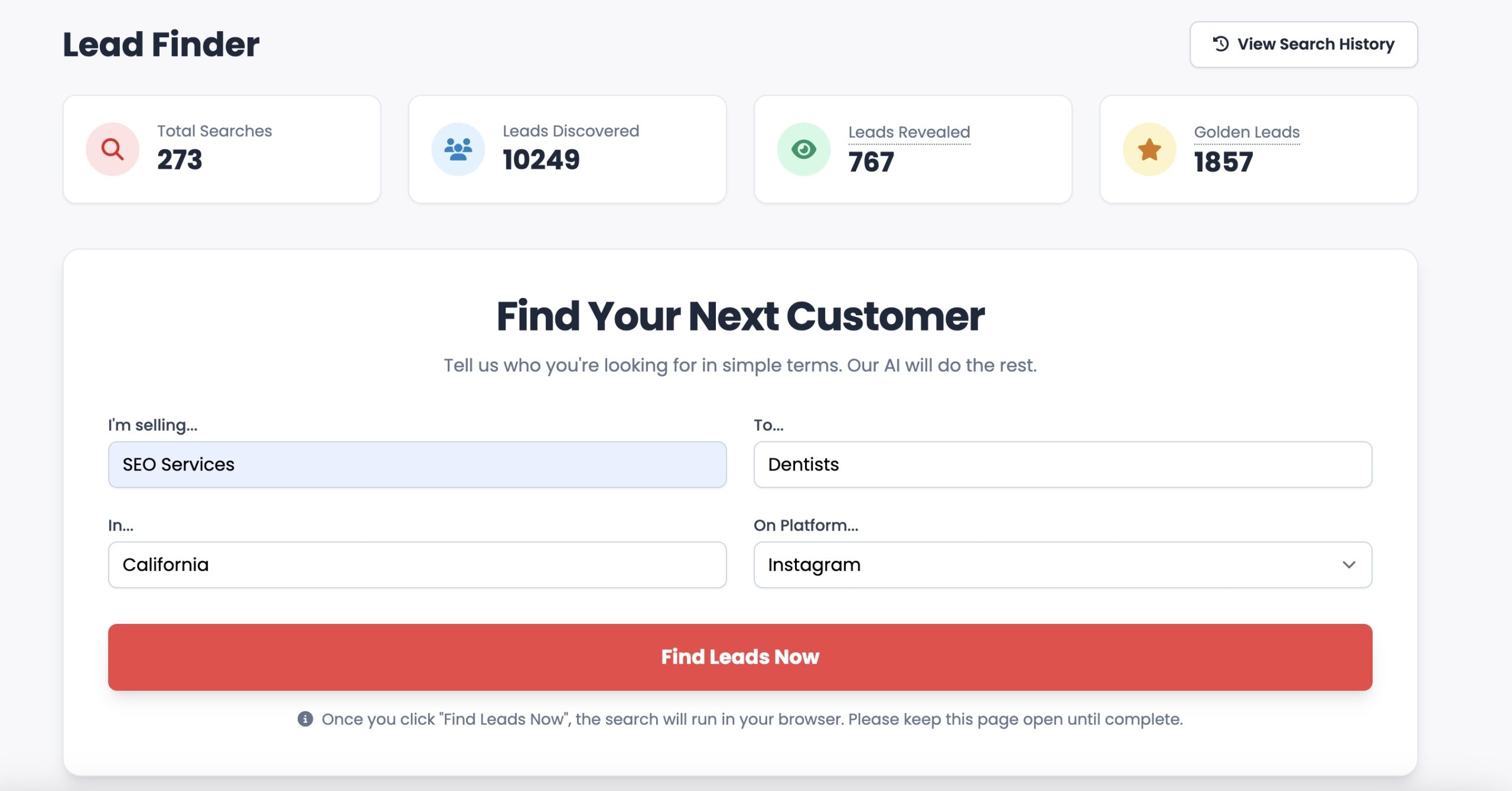
Instead of manually searching, you simply describe your Ideal Customer Profile (ICP) — for example:
“I’m selling web design services to real estate agents in Dubai.”
Pyrsonalize’s AI instantly understands your niche and scans over 120 platforms (like LinkedIn, Reddit, Facebook, Instagram, Quora, and YouTube) to find people who fit your criteria.
Step 2: AI Lead Finder Locates Real, Verified Emails
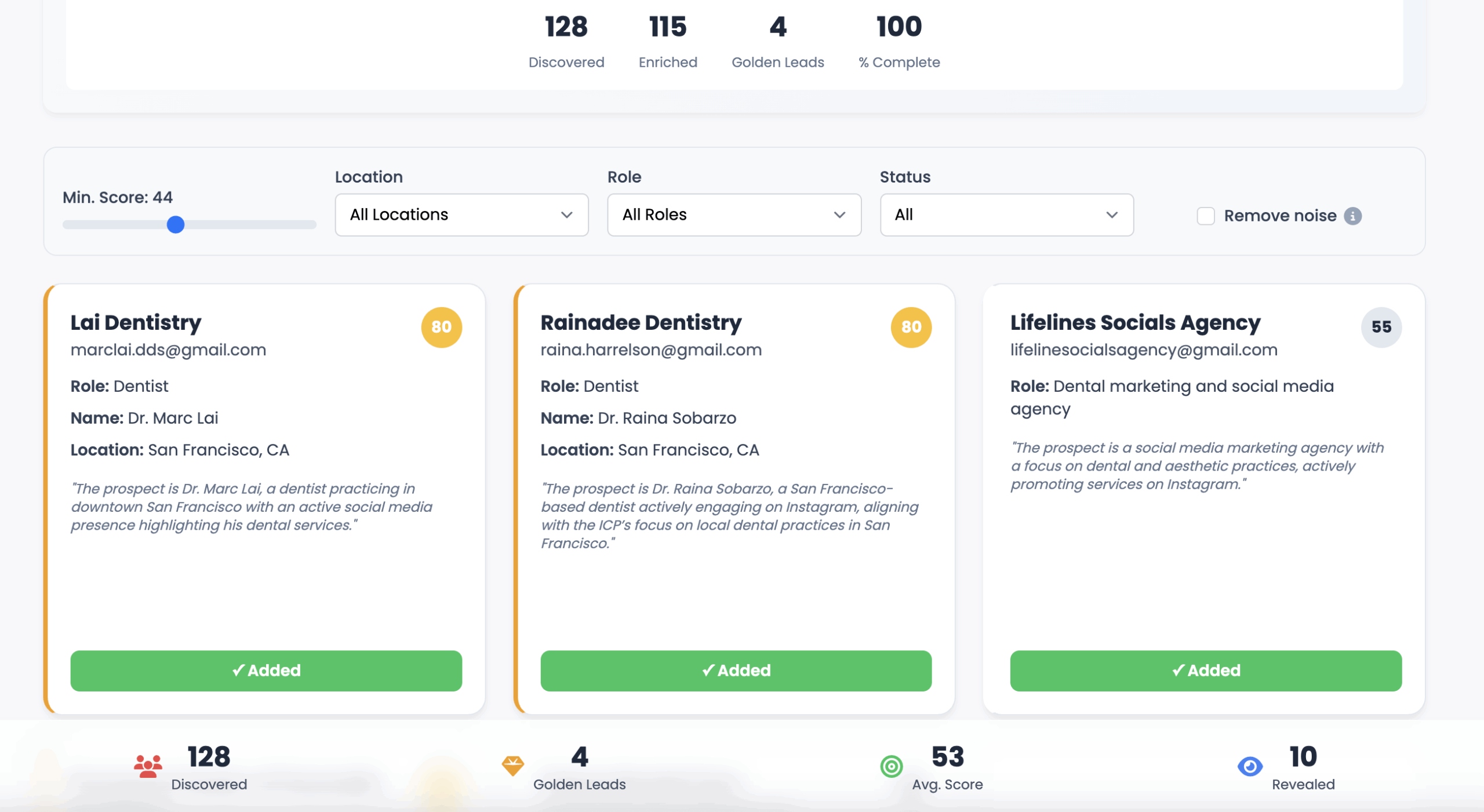
Once your ICP is defined, Pyrsonalize’s AI Lead Finder goes to work. It doesn’t rely on static databases. It actively searches the web in real time to find verified, personal inboxes that belong to real decision-makers — not generic company accounts.
This includes emails like:
These are the types of inboxes where real conversations — and real deals — actually happen.
Step 3: Enrich Leads with AI Prospecting Hub
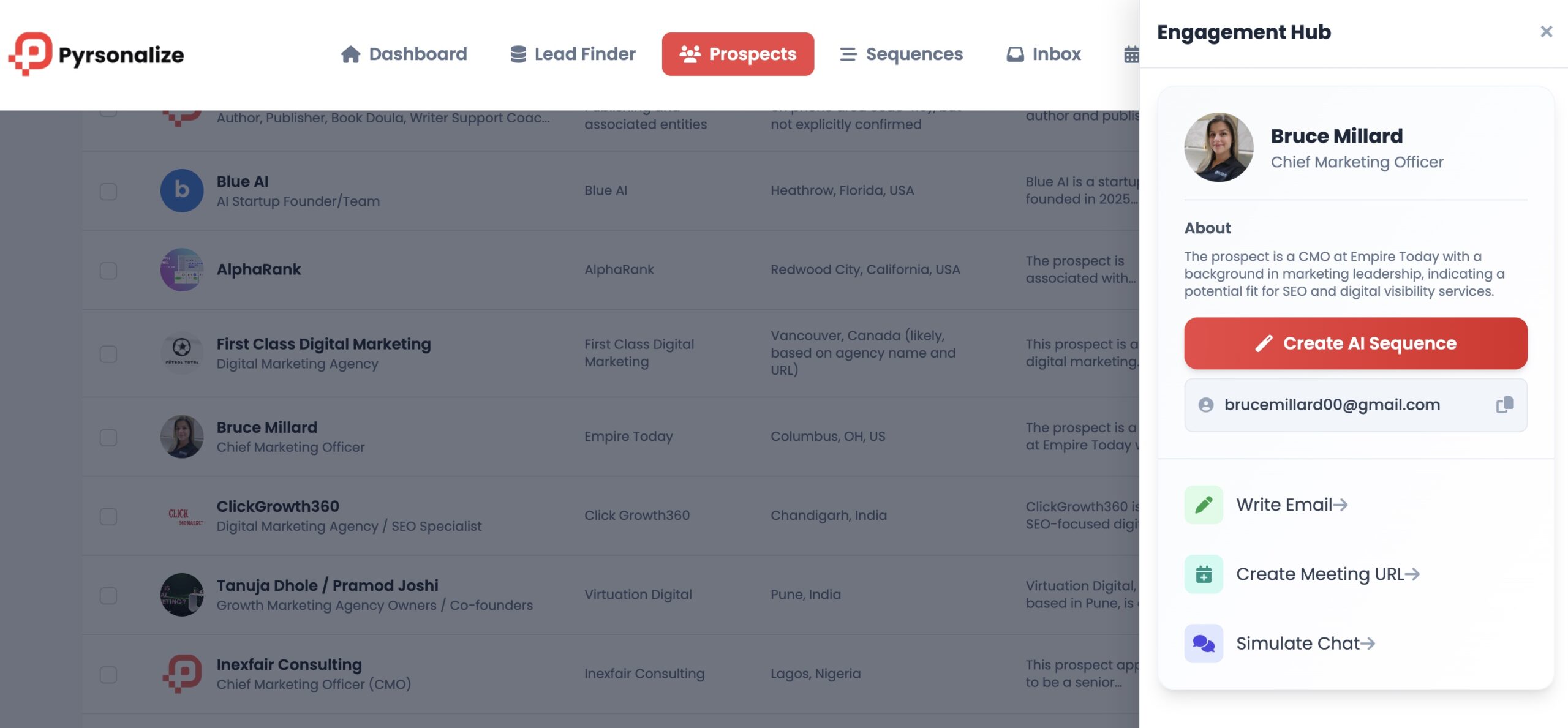
Each lead found by Pyrsonalize is automatically enriched with valuable data such as:
- Job title and company name
- Social media profiles
- Location and niche
- ICP match score (how closely they fit your target)
This helps you focus on the best prospects and build meaningful, personalized outreach campaigns.
Step 4: Generate Personalized Outreach Sequences
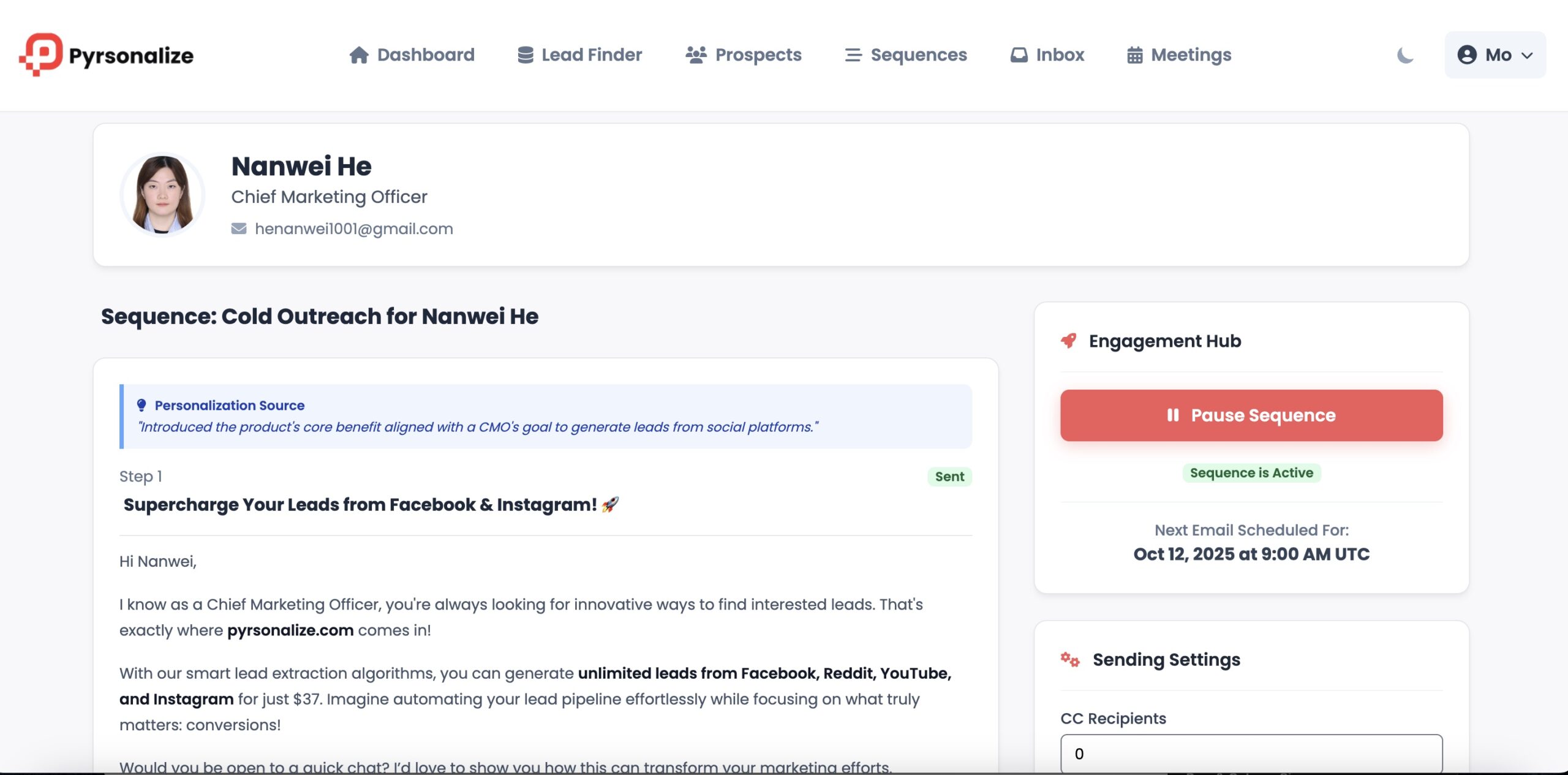
Next comes the magic. Pyrsonalize’s AI Sequences feature writes custom email templates for each prospect based on their background and interests. You don’t need to spend hours writing or testing subject lines — the AI handles it for you, while keeping the tone natural and relevant.
Each message feels human, not robotic.
Step 5: Connect Your Mailbox and Automate Sending
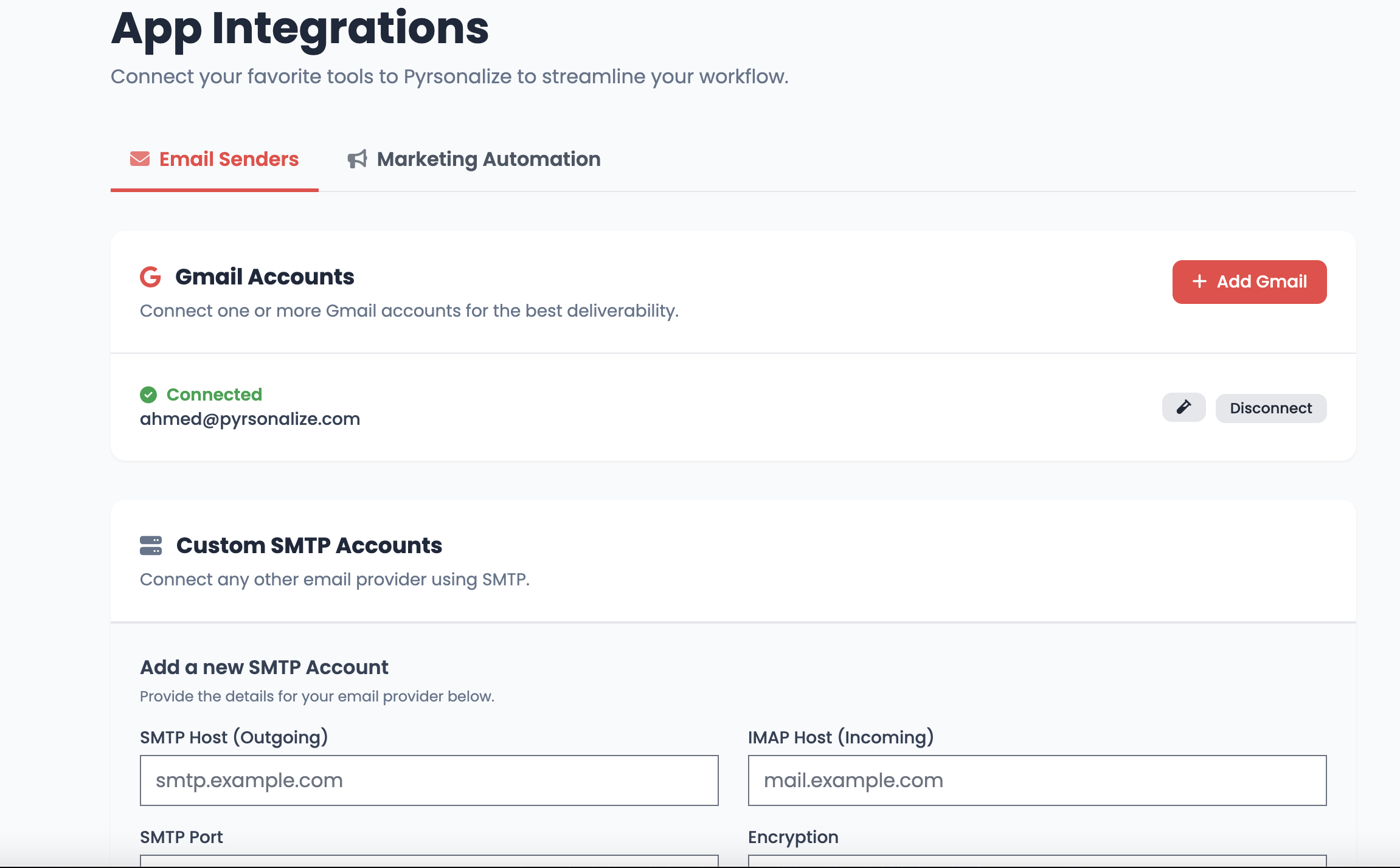
Once your sequences are ready, you can connect your Gmail, Outlook, or SMTP email directly inside Pyrsonalize. The system then automates the outreach — sending personalized emails one by one, maintaining perfect timing and deliverability.
You can even connect multiple mailboxes and let Pyrsonalize rotate between them to improve email health and avoid spam filters.
Step 6: Manage Replies in a Unified Inbox
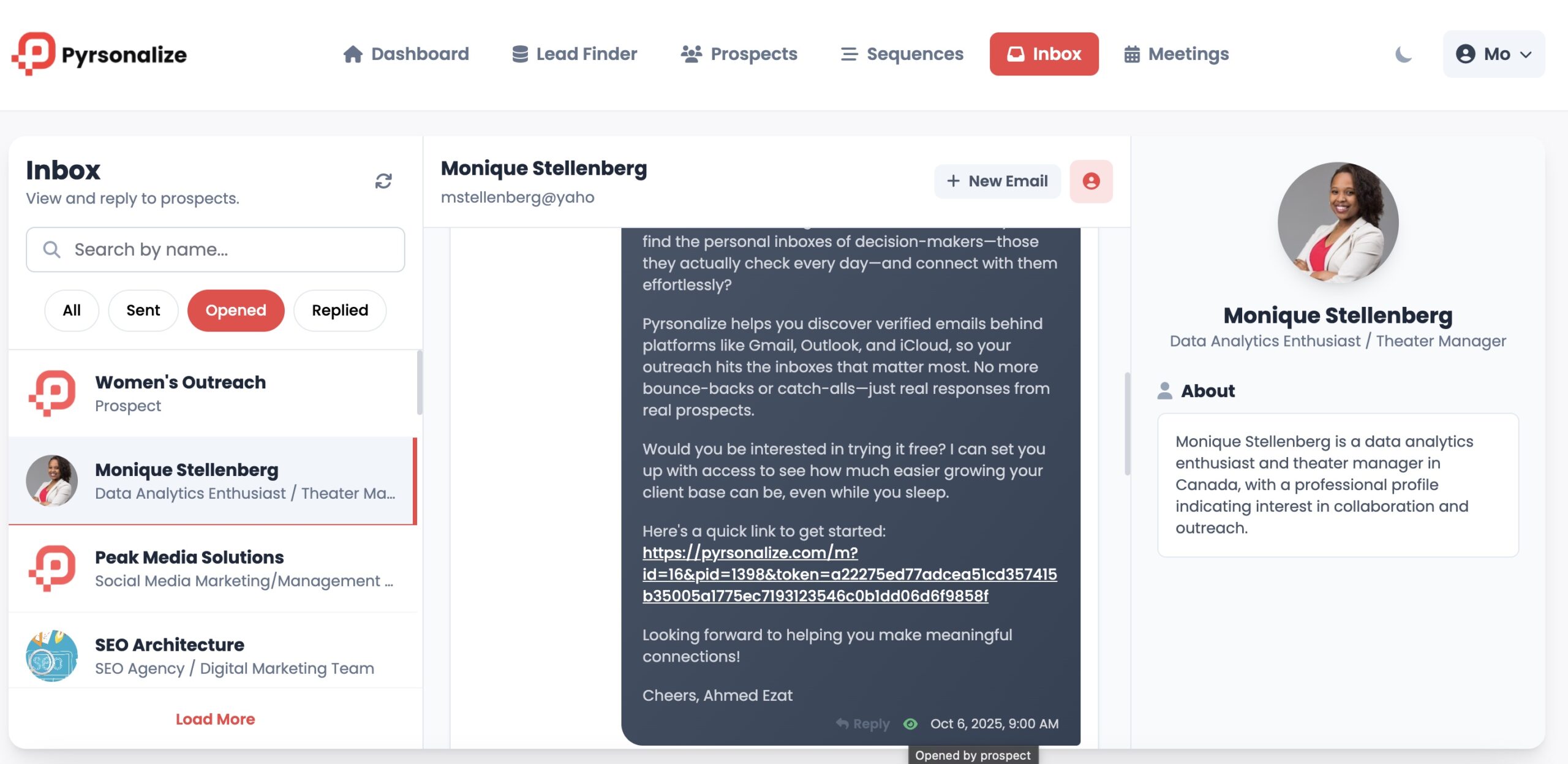
Forget switching between platforms, Pyrsonalize brings all your replies together in one Unified Inbox. You can easily follow up, tag leads, and track responses all in one dashboard.
This means you’re not just finding emails; you’re managing full conversations that lead to real opportunities.
Step 7: Book Meetings Automatically
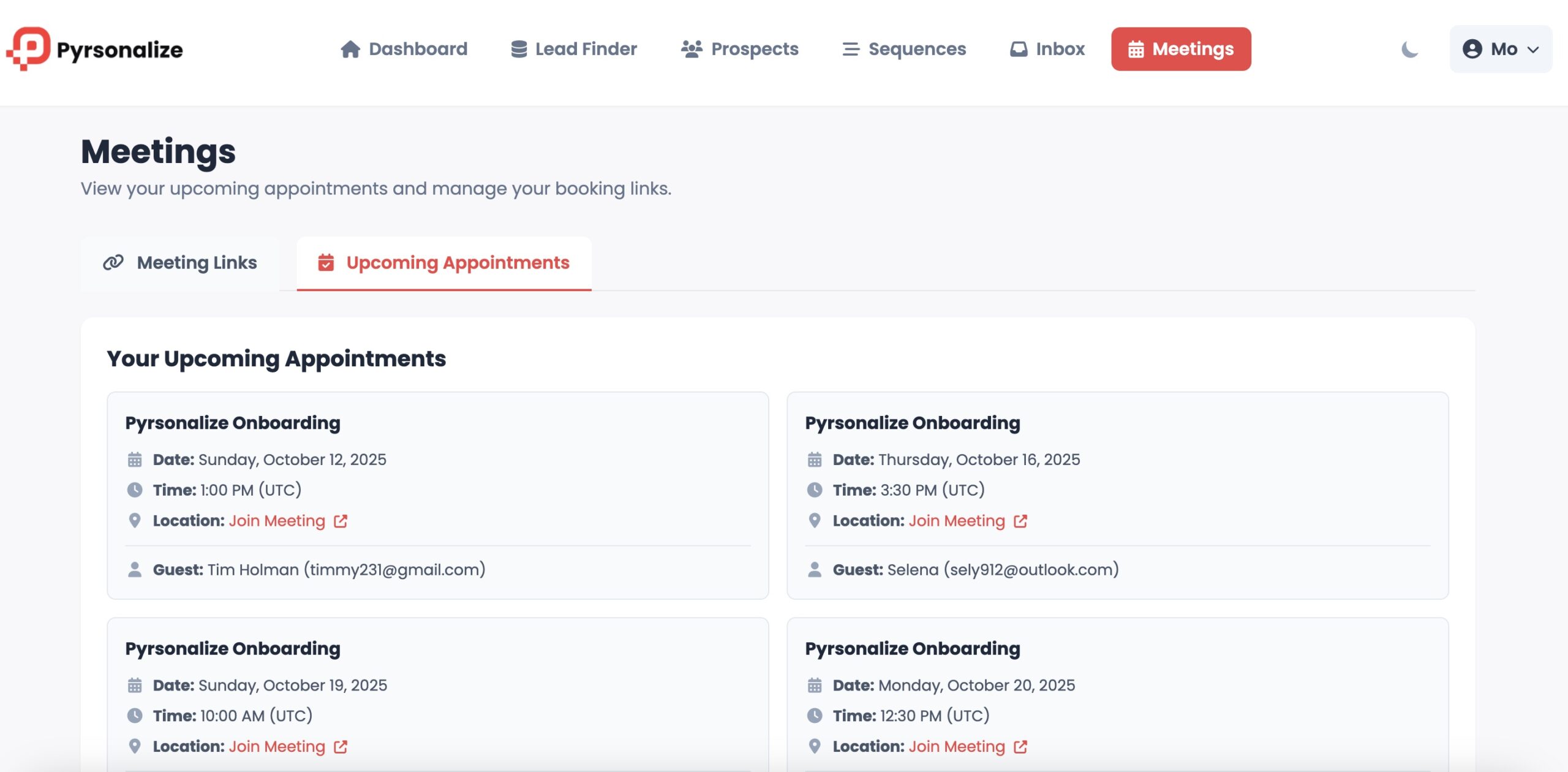
Finally, you can add your Meeting Booking Page link to your emails, allowing interested leads to book time directly onto your calendar with one click.
The workflow is seamless, from discovering leads to getting on calls all powered by AI.
Why Pyrsonalize Is Different
While most email finder tools rely on scraped or outdated lists, Pyrsonalize does something smarter: it discovers fresh, verified personal emails in real time using AI web scanning.
✅ No cold guessing
✅ No outdated databases
✅ No manual research
Instead, you get a real-time stream of leads who are active, reachable, and genuinely interested in your offer.
Finding Personal Emails Ethically
It’s important to use tools like Pyrsonalize responsibly. The platform only collects publicly available and consent-based data, ensuring compliance with international privacy laws like GDPR and CCPA. Always personalize your outreach, provide value, and include opt-out options.
The goal isn’t spamming, it’s connecting with people who truly benefit from your product or service.
Final Thoughts
If you’re tired of cold emails that never reach a real person, it’s time to stop guessing and start connecting.
Pyrsonalize gives you everything you need to find verified personal emails, write personalized outreach, and book meetings — all in one place.
Visit Pyrsonalize.com today and try your first AI lead search for free.
Find the inboxes that matter, and start real conversations that convert.