

You are ready to scale.
Your SaaS product is polished. Your service model is optimized.
Now is the time to pour fuel on the fire using Google Ads.
But wait. Have you checked the foundation?
Pouring money into paid advertising without first addressing your public reputation is the fastest way to hemorrhage budget in 2025. This mistake constantly plagues small businesses and SaaS startups.
You pay for clicks. Those clicks lead directly to your website.
However, industry data shows that 85% of consumers view online reviews as essential before making a purchasing decision. They are not just clicking your ad; they are clicking your reputation.
This comprehensive guide details the strategic necessity of fixing online reviews before running Google Ads. We will show you exactly why reputation management is a prerequisite for profitable lead generation campaigns.
The Core Problem: Why Bad Reviews Kill Ad ROI

Every dollar you spend on Google Ads is intended to drive qualified leads. When a prospect sees your compelling ad copy, they are interested.
What happens immediately after the click?
They inevitably perform a quick brand search. They look for validation and social proof.
If they find a string of negative, unaddressed reviews, that interest evaporates instantly. Your expensive ad budget is wasted.
The Consumer Trust Crisis in 2025
Trust is the currency of the digital age.
Consumers today are hyper-aware of manipulation and marketing spin. They know your website copy is biased.
What do they trust instead? Other people.
Authoritative research confirms that 79% of people trust online reviews just as much as a personal recommendation from a friend. This is powerful social proof that converts.
If your reviews paint a picture of poor service or unreliability, your ads are simply directing high-cost traffic to your detractors. You are subsidizing negative brand exposure.
Calculating Wasted Ad Spend
Consider your conversion funnel efficiency.
A prospect clicks your ad (Cost Per Click). They land on your page. They leave to check reviews. They see a 2.5-star rating. They never return.
You paid for that click. The conversion opportunity is lost.
This is why fixing online reviews before running Google Ads is an operational necessity. It is not just a marketing nice-to-have.
Consider the necessary mitigation. Studies show it can take 10 to 12 new, positive reviews just to increase a star rating by 0.1 points. Can your budget handle that kind of inefficiency?
For small businesses and agencies operating on tight margins, maximizing every dollar is crucial. Utilizing affordable lead gen tools for your 5-person agency means being strategic about where you spend your primary advertising budget.
Ignoring reputation costs you money in three critical areas:
- High CPC, Low Conversion Rate: You pay premium rates for clicks, but your conversion rate tanks due to reputation friction.
- Decreased Quality Score (Indirectly): Google’s algorithm assesses landing page experience and expected CTR. A poor reputation causes higher bounce rates and lower engagement, signaling a poor user experience. This lowers your Quality Score.
- Amplified Exposure: Paid traffic rapidly increases the visibility of your business name. This means more people are exposed to your negative reviews faster than through organic search alone.
This financial damage makes a pre-launch audit mandatory.
Pre-Launch Audit: Identifying and Assessing Your Reputation
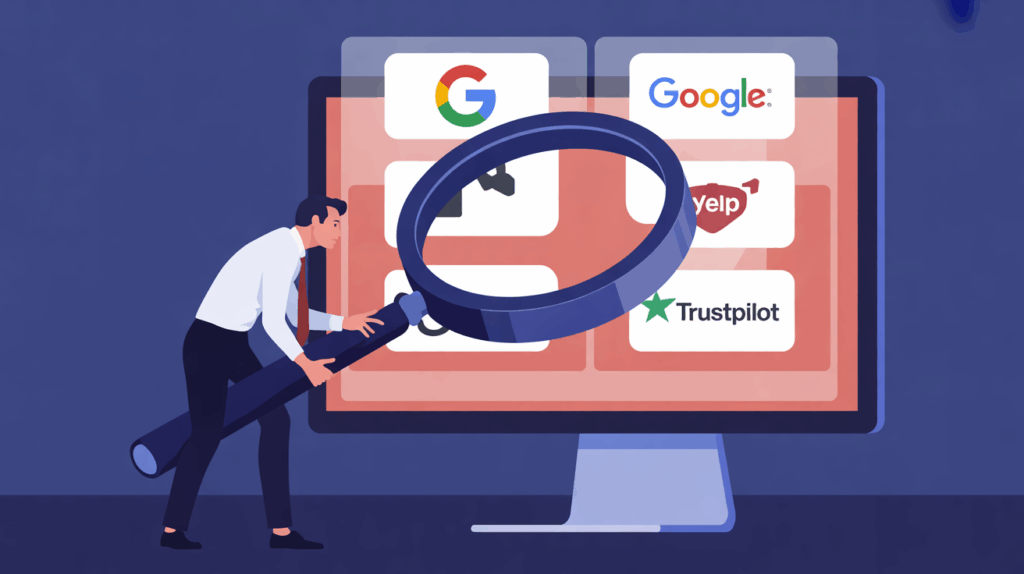
The financial risks are clear. Before the campaign goes live, you must perform a thorough reputation audit. This is more than just glancing at your Google My Business profile.
You need a comprehensive, decentralized view of how your brand appears across the platforms that matter most to your target audience.
Where Prospects Look First
Your reputation is decentralized. It lives wherever customers are talking about you.
For B2B SaaS companies, this might include G2, Capterra, or specific industry forums. For local service businesses, it is often Google and Yelp.
Do not dismiss platforms you dislike or ignore.
Did you know that Apple Maps, a major search method, often pulls business data and reviews directly from Yelp? Ignoring Yelp means potentially losing visibility to every iPhone user searching for your service locally.
Key platforms to audit immediately:
- Google Business Profile (GBP): The absolute priority. This often appears directly alongside your search ads or in the map pack.
- Industry-Specific Review Sites: (e.g., Trustpilot, G2, Clutch, Healthgrades). These are high-intent sources for specialized services.
- Yelp and Facebook: Still significant trust indicators, especially for local lead generation.
- Niche Forums and Reddit: Look for organic discussions. Even without a formal star rating, negative threads can be highly damaging to high-value prospects.
The Google Sort Dilemma
The old advice stated that a 4.2 to 4.8 rating looked “more believable” than a perfect 5.0. That advice is now obsolete.
Google now offers a “sort by rating” option for searchers in many categories. This simple feature fundamentally changes consumer behavior.
When a prospect sorts by rating, only 5-star companies appear at the top. If your business has a 4.5 rating, you might be buried far down the list. You become invisible to high-intent searchers.
To maximize visibility and conversion potential from your paid campaigns, you must aim for the highest possible rating (4.8+). A high rating provides immediate trust. It increases the likelihood that a user, having clicked your ad, will proceed to conversion rather than bouncing back to search for a competitor with better social proof.
Once you identify these negative reviews, the next step is strategic mitigation.
Strategic Mitigation: How to Address Negative Feedback

A negative review feels like a personal attack. It is frustrating. It is demoralizing. But ignoring it is a critical strategic error.
When you leave a bad review untouched, you allow the negative narrative to stand as the final word. You create an echo chamber of doubt for future prospects.
Addressing the issue publicly shows the public you care. It demonstrates responsiveness and accountability. This is critical for managing your brand narrative while your ads are running.
Step-by-Step Response Protocol
Do not rush your response. A hasty, emotional reply can escalate the situation and cause irreparable public damage.
Follow this protocol for fixing online reviews before running Google Ads:
- Check Platform Guidelines: Does the review violate the platform’s terms? Look for hate speech, personal attacks, or clear conflicts of interest. If rules are violated, request immediate removal. This is always your first, best option.
- Wait 24 Hours: If the review is emotional or lengthy, give yourself and the customer time to cool off. A measured, professional response is always better.
- Acknowledge and Apologize Publicly (Briefly): Post a short, professional response. Validate their experience and express regret. Crucially, do not argue the facts in public.
- Move the Conversation Offline: Always invite the reviewer to resolve the issue privately. Provide a direct contact method (e.g., “Please email our Head of Support, [Name], at resolution@yourcompany.com”).
- Attempt Resolution Offline: Work diligently to fix the customer’s problem. The goal is two-fold: retain the customer, and politely request they update or remove the negative review once satisfied.
Responding to an old review is just as important as responding to a new one. Prospective customers have no way of knowing if that negative experience from 2023 is still representative of your business today. Your response provides the necessary context and shows ongoing commitment.
When to Escalate (or Not)
Public engagement is usually beneficial. It shows transparency and builds public trust.
However, there are times when responding can backfire. If a reviewer seems intent on confrontation or harassment, responding publicly might simply fuel their desire to post more negativity.
How do you decide? Use tact and expert judgment.
If the review is clearly malicious, irrelevant, or non-customer related, sometimes the best response is simply to report it. Then, focus your efforts on generating new, positive reviews to push the negative one down the page.
Remember, the public is watching your response. They judge your company’s character based on how you handle criticism.
Mitigation is defensive. To truly succeed, you must move to proactive generation.
Proactive Review Generation: Building a Positive Foundation

You cannot simply wait for positive reviews to appear. You must proactively generate them. Your happiest customers are often the busiest ones; they need a gentle, systemized nudge.
The strategic goal is to increase the volume of current, positive feedback quickly. This systematically drowns out any historical negativity and improves your star rating.
Integrating Review Requests into the Customer Journey
Timing is everything when asking for a review.
You want to catch the customer at their moment of maximum happiness. We call this the “peak moment of satisfaction.”
For service businesses, this might be:
- Immediately after a successful project completion.
- When the client pays the final invoice and expresses satisfaction.
- After the first 90 days of successful service delivery and measurable results.
For SaaS companies, this moment occurs when the user experiences their first ‘Aha!’ moment – the point where they realize the tangible value of your product.
This could be:
- After completing the onboarding tutorial successfully.
- When they exceed a key usage milestone (e.g., “You have generated 100 leads this month!”).
- Upon renewal or upgrade confirmation.
Make the process frictionless. Provide a direct link to the specific platform you need reviews on (Google, G2, etc.). Do not force the customer to search for it.
Leveraging AI for Follow-Up and Sentiment Analysis
Manual review requests are inconsistent and time-consuming. This is where AI lead generation tools shine. They automate the follow-up process based on precise customer behavior.
Advanced AI can analyze customer sentiment from recent support tickets or usage data in real-time.
If the sentiment is