

You already know that volume alone is a vanity metric in high-ticket B2B sales.
We are not optimizing for 10,000 low-quality leads. We are optimizing for 50 high-intent conversations.
A generic Salesforce dashboard tracking only “Lead Count” is useless. It offers zero strategic guidance for your outreach team. It cannot answer fundamental questions about profitability or efficiency.
We need a dashboard built for precision. It must track the quality, velocity, and source effectiveness of leads entering your manual outreach pipeline.
This is the 2025 blueprint for building a Salesforce Lead Generation Dashboard that actually drives revenue and provides actionable intelligence to your sales development team.
Key Takeaways for Strategic Dashboards
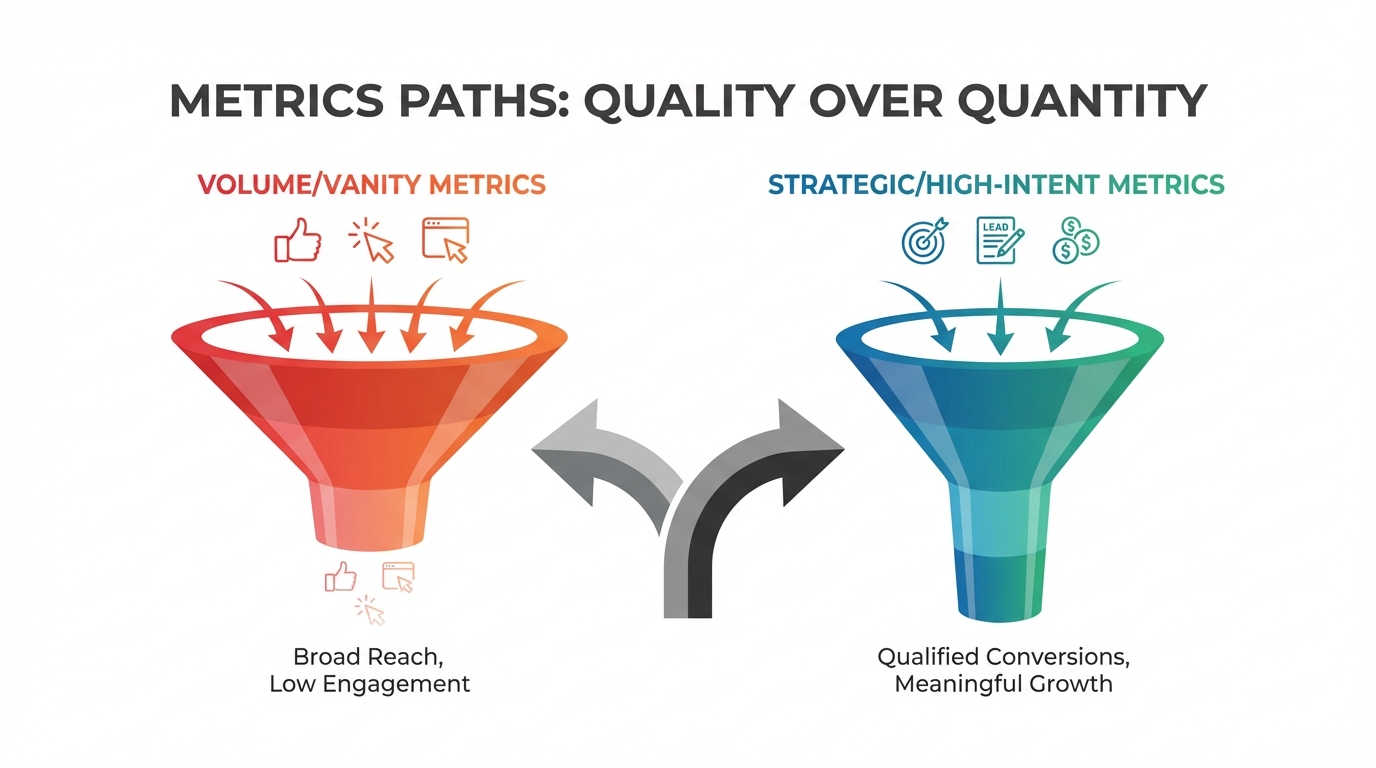
- Focus on Quality over Quantity: Your primary metrics must track conversion rate (Lead-to-Opportunity) and Lead Quality Score, not just raw volume.
- Reports are Prerequisites: Dashboards are visualizations. Before you can visualize, you must build robust, grouped Source Reports first.
- Velocity is King: Track Lead Response Time (LRT) and time-in-stage metrics aggressively. Slow follow-up kills high-intent leads.
- Utilize Filters: Implement dynamic dashboard filters to segment performance by Region, Lead Source, or Sales Rep immediately.
Prerequisite: Reports Are Your Foundation
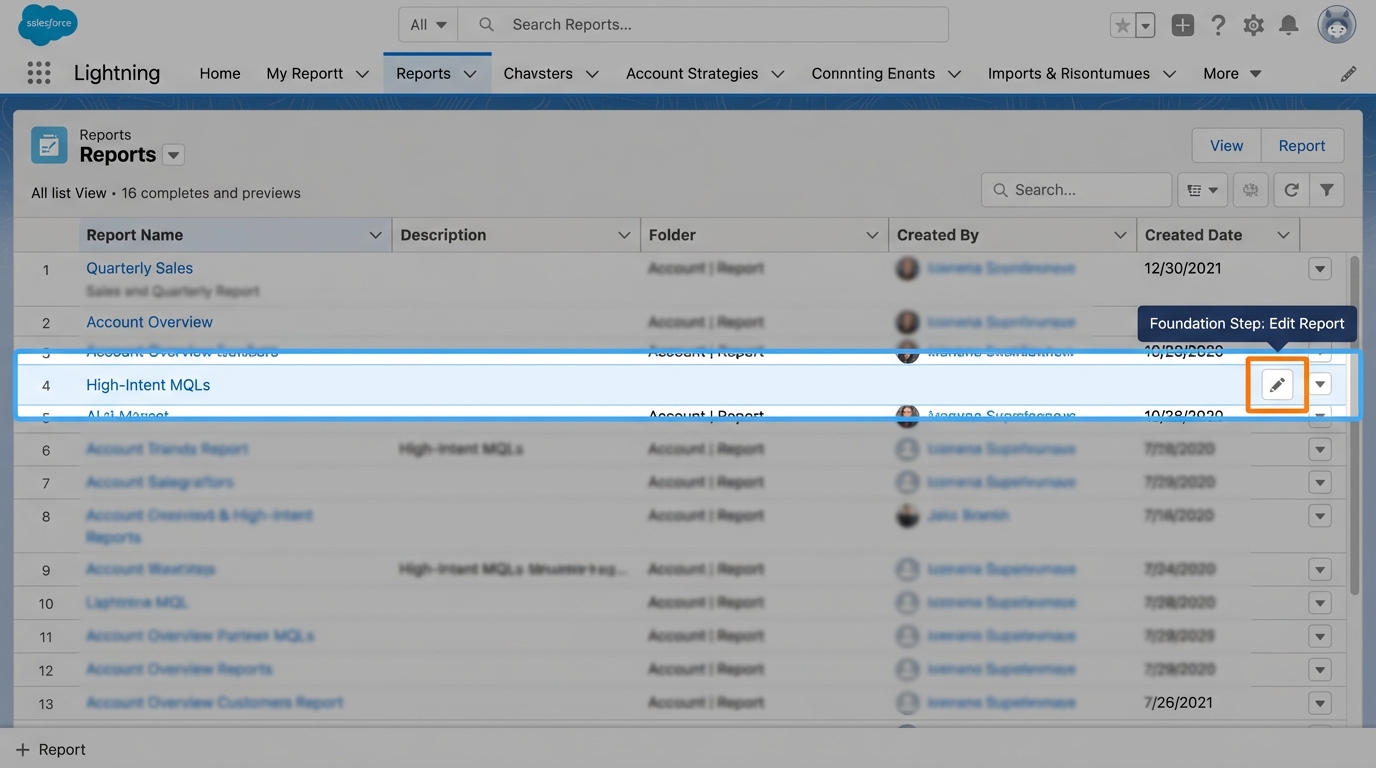
A strategic dashboard is only as valuable as the data feeding it. In Salesforce, the Dashboard is merely a visual layer placed over a collection of underlying Reports.
If your foundational reports are flawed, your strategic decision-making—and your outreach team’s guidance—will be fatally flawed.
Before you even touch the Dashboard tab, confirm this crucial prerequisite checklist:
- Data Cleanliness & Standardization: Garbage in, garbage out. Are your Lead Source fields standardized (e.g., no variations like “Google Ads,” “Google_Ads,” “Google Adwords”)? Does the Lead Status field accurately map to your current, approved sales stages?
- Mandatory Grouping: Dashboard components (charts, funnels, gauges) require grouped data to visualize metrics. Your source reports must be grouped by critical dimensions like Lead Source, Lead Owner, Industry, or Creation Date (by week/month).
- Selecting the Correct Report Type: For comprehensive, full-funnel tracking, the standard ‘Leads’ report type is insufficient. You will require specialized types like ‘Leads with Converted Lead Information’ or custom report types that properly link Leads to Campaigns or Accounts.
We strongly recommend creating dedicated, lean source reports for each key metric component you plan to visualize. This best practice ensures the data source is fast, maintainable, and prevents unnecessary complexity.
Step #1: Define Your High-Intent Metrics
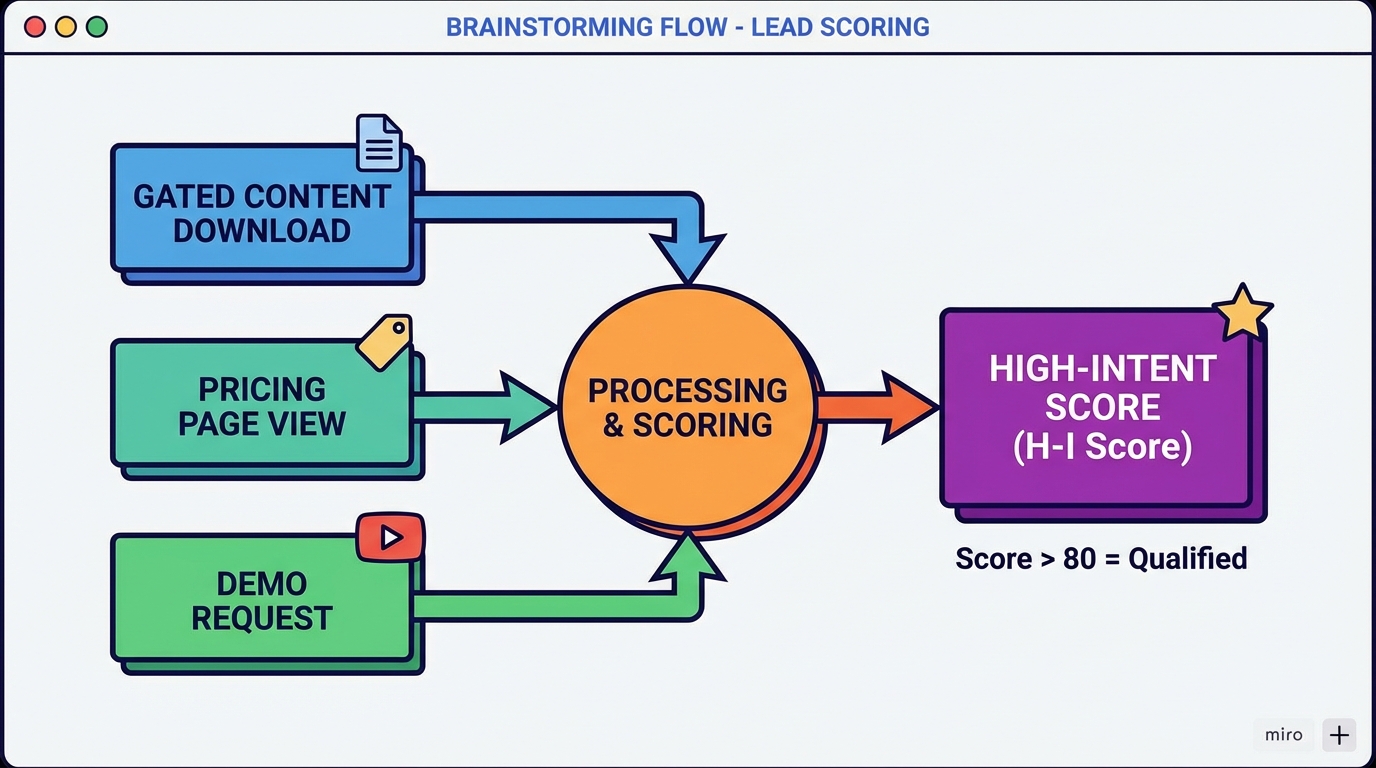
The first strategic mistake most teams make is relying solely on standard metrics like Marketing Qualified Leads (MQLs) and Sales Qualified Leads (SQLs). While these are foundational, they often fail to capture the nuances of high-ticket B2B sales.
For strategic dashboards—where success depends on manual, trust-based outreach and qualification—we must move beyond simple activity tracking. We need metrics that directly predict revenue and prioritize the sales team’s limited time.
Must-Track Metrics for High-Intent B2B
Your dashboard should not track gross lead count. It must track the conversion efficiency of specific sources and the velocity of qualification.
To deliver this intelligence, we combine standard Salesforce fields with custom formula fields, ensuring every metric offers actionable guidance:
| Metric Category | Required Field/Formula | Why This Matters (Strategic Value) |
|---|---|---|
| Lead Quality Score (LQS) | Custom Formula Field (Scoring based on Job Title, Company Size, & Engagement History) | Predicts likelihood of conversion before human interaction. This is the ultimate prioritization tool for the sales team’s manual outreach time. |
| Lead-to-Opportunity (L2O) Rate | Standard Conversion Metric (Filtered by Lead Source) | Measures the true effectiveness of your lead acquisition channels. Immediately identifies which sources deliver high-intent prospects versus passive tire-kickers. |
| Lead Response Time (LRT) | Formula calculating (Time Converted – Time Created) | A critical velocity metric. Indicates sales team efficiency and identifies bottlenecks in the initial follow-up and qualification process. |
| Source ROI Effectiveness | Custom Report linking Campaign Cost to Opportunity Value | Shows which acquisition strategy—AI-driven email finding, direct outreach, or content marketing—delivers the highest measurable return on investment. |
Step #2: Build the Core Reports in Salesforce
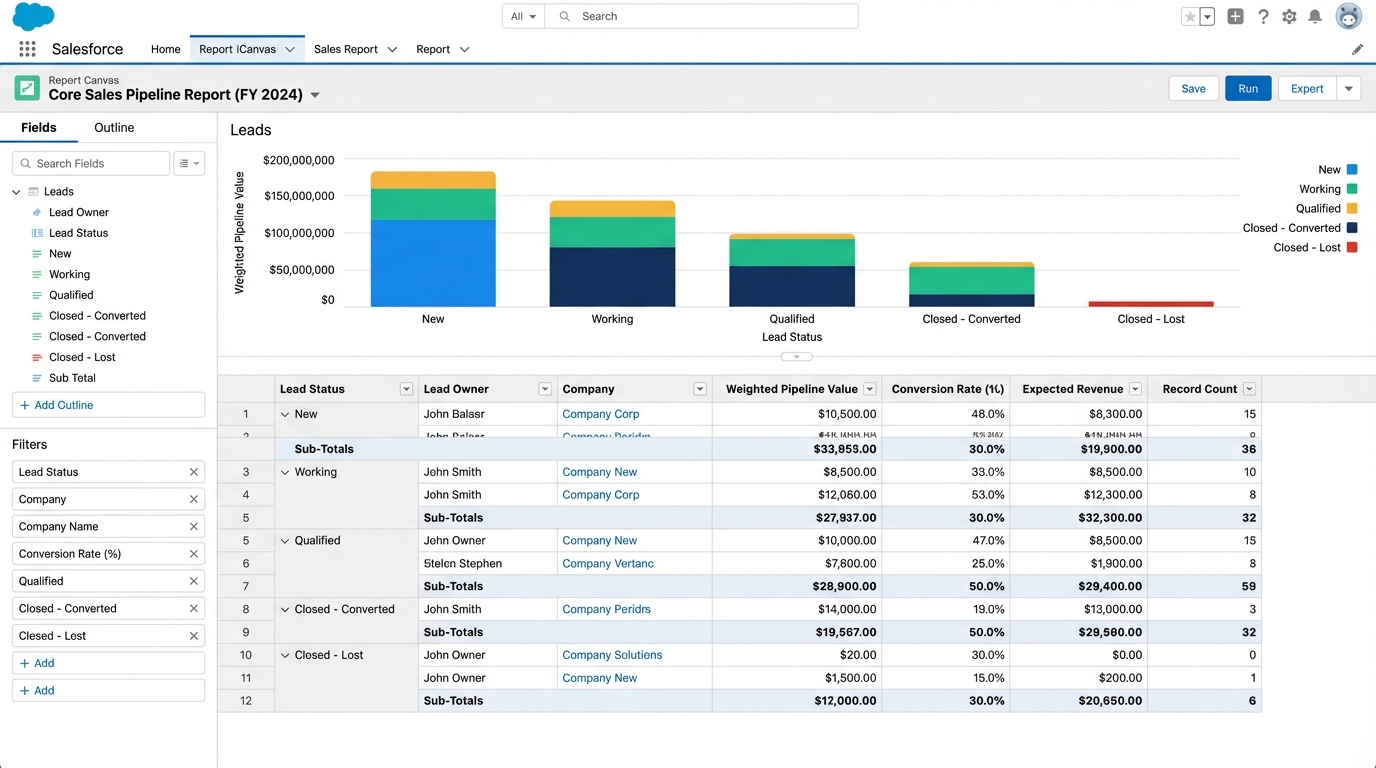
A strategic dashboard is merely a visualization layer; its power is derived entirely from the underlying data structure. To visualize the high-intent metrics defined in Step #1, we must build three foundational reports, ensuring they are aggregated, filtered, and grouped for maximum strategic utility.
2.1: The Lead Source Performance Report
This report is the undisputed backbone of your strategic dashboard, providing the data necessary to answer the critical question: Where is our strategic sales energy best deployed? It moves beyond simple lead volume to assess true, source-level quality.
- Report Type: Leads (Crucially, include Converted Lead Information).
- Grouping: Group Rows by
Lead Source. - Summary Fields: Count of Total Leads, Average Lead Quality Score (LQS), Conversion Rate (Lead to Opportunity – L2O).
- Filtering: Filter by Time Frame (e.g., Last 90 Days) to ensure immediate relevance and actionable data.
- Key Visualization: Visualizing this report as a Funnel component instantly reveals the drop-off rate between initial capture and actual qualification, highlighting inefficient sources.
2.2: The Velocity and Bottleneck Report
High-intent B2B leads operate under the assumption of immediate, expert attention. This report serves as a critical diagnostic tool, identifying both individual sales team performance friction and systemic process bottlenecks that hemorrhage revenue.
- Report Type: Leads.
- Grouping: Group Rows by
Lead Owner. - Summary Fields: Average Lead Response Time (LRT), Count of Leads in Status ‘New’ older than 48 hours (or your defined maximum acceptable duration).
- Key Insight: Use Salesforce’s conditional formatting within the report to flag LRTs exceeding your internal Service Level Agreement (SLA). For high-intent B2B, this threshold is often aggressively set at 2 hours or less.
“If your average Lead Response Time exceeds 4 hours, you are actively donating qualified revenue opportunities to your competitors. Speed is a strategic advantage.” – Pyrsonalize Research, 2025
2.3: Segmented Capture Success Report
Are your capture methods successfully delivering the required data points for proper qualification and segmentation? This report acts as a quality control check, ensuring that strategically collected data (often via quizzes, dynamic forms, or specialized landing pages) is being captured with integrity.
- Report Type: Leads.
- Grouping: Group Rows by
Industry,Company Size, or your specificSegment Field(based on your internal strategic lead segmentation). - Summary Fields: Total Leads, Percentage of Leads missing critical qualification fields (e.g., Phone Number, Job Title, Budget Range).
- Actionable Use: Highlighting missing critical fields immediately points to friction in the capture flow that must be resolved to maintain data integrity for scoring and routing.
Step #3: Architecting the Dashboard Layout
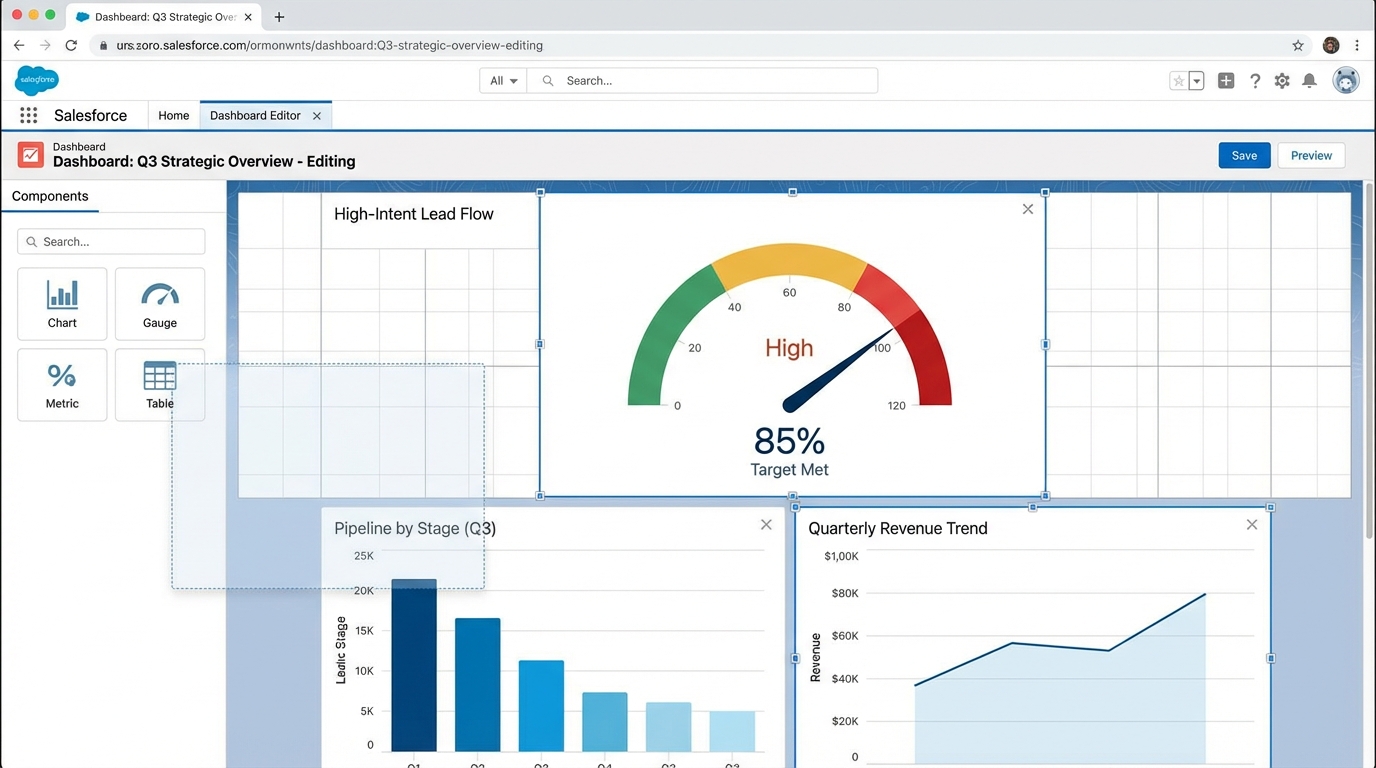
A strategic dashboard must tell a cohesive story—it cannot merely be a random collection of charts. To achieve this narrative flow and maximize strategic utility, we structure the dashboard into three distinct rows, moving logically from initial intake quality down to final financial impact.
We divide the layout into three critical sections: Volume & Quality, Velocity & Efficiency, and Conversion & Revenue.
3.1: Volume & Quality Section (Top Row)
This top section provides the immediate health check for the entire lead generation engine, focusing on the quantity and strategic value of incoming leads.
- Lead Quality Gauge: Use a Gauge Component based on the LQS report (Lead Quality Score). Set defined range targets (e.g., Red: Below 60, Yellow: 60-80, Green: 80+). This instantly informs management about the quality of current intake, signaling whether volume is masking poor performance.
- Lead Volume Trend: Use a Line Chart Component showing Lead Creation Date, grouped by week or month. This tracks the overall growth trajectory and helps identify seasonal or campaign-related spikes.
- Source Breakdown: Use a Donut Chart Component based on the Lead Source Performance Report. This visually allocates resources by immediately showing which sources are generating the highest volume and quality of leads.
3.2: Velocity & Efficiency Section (Middle Row)
This operational section is critical for the sales team manager. It diagnoses process bottlenecks and highlights where efficiency is breaking down.
- Lead Response Time (LRT) Metric: Use a single Metric Component showing the average LRT (in hours). This is a vital real-time metric that should be the first thing your sales manager reviews every morning.
- Funnel Visualization: Use the Funnel Component based on the Lead Status Report (New > Contacted > Qualified > Converted). This provides an instant visual identification of drop-off points in the qualification process, pinpointing stages that require intervention.
- Owner Performance Table: Use a Tabular Component (limit to top 5 records) based on the Velocity and Bottleneck Report. Display the top 5 reps with the longest average LRT. This drives immediate accountability and coaching opportunities.
3.3: Conversion & Revenue Section (Bottom Row)
This final section closes the loop, connecting initial lead generation efforts directly to financial outcomes and strategic marketing budget optimization.
- L2O Rate Gauge: Track the Lead-to-Opportunity conversion rate against your company’s established target. This confirms whether high-quality leads are translating into pipeline opportunities.
- Campaign ROI Chart: Use a Bar Chart showing the L2O rate segmented by Campaign Name. This is crucial for optimizing your marketing budget by identifying the campaigns that deliver the highest converting leads, not just the highest volume. (Note: Aggressive ROI tracking, often mirrored from external analytics tools, provides the necessary data structure for this component in Salesforce.)
Step #4: Implementing Strategic Dashboard Filters
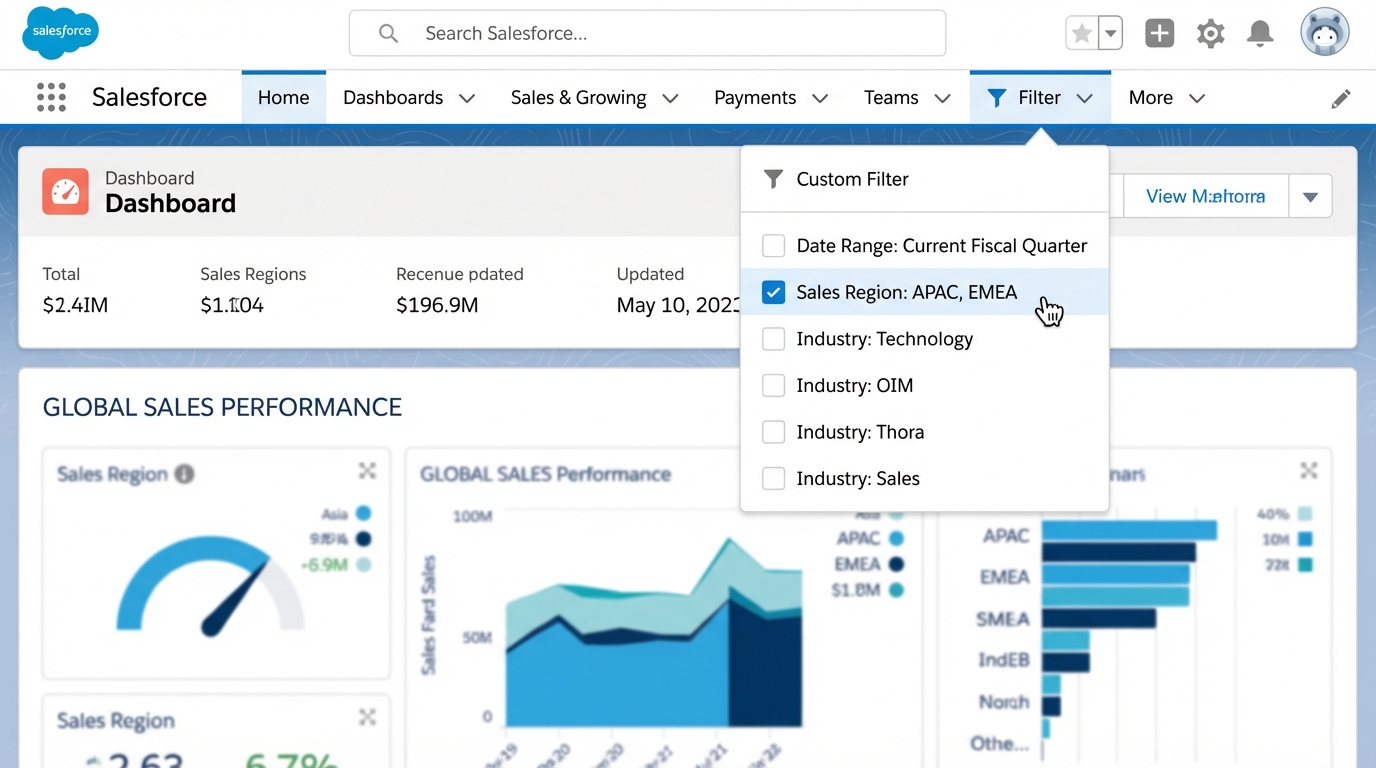
A static dashboard is a historical document. A dynamic dashboard is a strategic tool. If your dashboard requires a sales manager to scroll through 15 separate versions to understand their team’s performance, it has failed.
Salesforce allows you to apply powerful global filters that instantly change the underlying report data visualizations in real-time. For any segmented or scaling B2B sales organization, this dynamic filtering capability is non-negotiable for targeted strategic analysis.
Filter Implementation Best Practices
- Filter by Lead Owner/Team: This is the most crucial filter for managerial oversight. Sales managers must be able to instantly segment performance views for ‘Team East’ versus ‘Team West,’ or ‘Inbound SDRs’ versus ‘Outbound BDRs,’ without requiring the creation of duplicate dashboards.
- Filter by Lead Source Category: Group your individual sources into strategic categories (e.g., ‘Inbound Content,’ ‘Outbound AI/Data,’ ‘Referral’). Filtering by these categories allows you to quickly assess the ROI and effectiveness of different strategic acquisition channels.
- Filter by Date Range: While the source reports have their own filters, adding a global date range filter allows for rapid strategic comparisons (e.g., comparing Q4 2024 performance against Q1 2025) across all metrics simultaneously.
- Filter by Lead Status/Stage: Allowing filtering by specific stages (e.g., viewing only leads currently in ‘Working – Contacted’ or ‘Qualified’) helps managers focus their attention on the active pipeline quality and momentum, not just historical volume.
Implementation Requirement: To utilize a field as a global dashboard filter (e.g., Lead Owner), that field must be included in the filtering criteria or display columns of every single source report used within that dashboard. Neglecting this step is the most common reason filters fail to appear or function correctly.
To implement, navigate to the Dashboard Editor, click ‘Filter,’ and select the corresponding field.
Step #5: Conversion Optimization and Iteration

The most sophisticated dashboard in Salesforce is useless if it doesn’t drive corrective action. This asset is not a set-and-forget historical document; it is the engine for continuous process optimization.
We treat the dashboard as a real-time diagnostic tool. Our team reviews key performance indicators (KPIs) weekly, specifically focusing on metrics flashing red. The core function of iteration is immediately addressing two primary failure points: Lead Quality Score (LQS) and Lead Response Time (LRT).
Protocol: Translating Red Indicators into Corrective Action
When the dashboard signals a deviation from target performance—whether a dip in quality or a spike in time-to-conversion—immediate, forensic action is required:
- Review Lead Capture Forms (LQS Issue): If LQS drops from a specific source or campaign, your capture form may be too generic or asking insufficient qualifying questions. Review form fields immediately to ensure you are collecting high-intent signals necessary for B2B qualification.
- Audit Lead Source Mapping (LQS Issue): Technical errors in form integration, manual entry mistakes, or misattributed UTMs can skew data, making high-performing channels appear weak. Ensure the Lead Source field is being populated accurately and consistently across all entry points.
- Address Velocity Issues (LRT Issue): If Lead Response Time (LRT) spikes past acceptable SLAs, the issue is operational, not strategic. Review workflow rules, assignment rules (Lead Assignment Rules), and sales team capacity immediately to eliminate bottlenecks in the handoff process.
Remember: The ultimate value of this customized dashboard is not the data visualization itself. It is the speed and precision of the strategic action you take based on that visualized data, ensuring continuous conversion optimization.
Frequently Asked Questions

How often should I refresh my Salesforce Lead Dashboard?
The optimal refresh frequency depends entirely on your team’s sales cycle velocity:
- High-Velocity Teams: For high-volume, high-ticket B2B sales where response time is critical, we recommend refreshing the dashboard at least hourly, or daily at minimum.
- Manual Refresh Requirement: Crucially, Salesforce Dashboards do not refresh automatically in real-time. A user must manually click the ‘Refresh’ button to pull the latest data from the underlying reports.
For critical, time-sensitive metrics like Lead Response Time or immediate pipeline movement, managers should utilize the subscription feature to receive automated daily email updates.
Can I pull external data (like Google Analytics ROI) into a Salesforce Dashboard?
Directly integrating complex external data (such as granular Google Analytics metrics or specific ad platform spend) requires third-party tools (like specialized connectors or middleware). The most pragmatic, native Salesforce approach for basic ROI tracking involves:
- Ensuring all incoming leads are associated with accurately tagged Salesforce Campaigns.
- Manually entering cost data directly into the Campaign object.
This setup allows you to build reports that natively calculate ROI based on the Campaign cost and the associated converted Opportunity Value, bypassing the need for complex, real-time external data feeds for basic reporting.
What is the maximum number of components recommended for a single dashboard?
While Salesforce technically allows up to 20 components on a single dashboard, we strongly recommend adhering to a maximum of 12 for strategic clarity. Overloading the visual space inevitably leads to analysis paralysis.
To maintain focus and drive action, structure your dashboard around priority:
- Core Focus (3-5 Components): Metrics that directly impact your quarterly revenue goals (e.g., Qualified Leads Generated, Pipeline Value Created).
- Supporting Indicators (7-9 Components): Velocity and quality metrics that explain the core results (e.g., Lead Response Time, Conversion Rate MQL to SQL).
Ready to take the next step?
Try AI Lead Generation Today
Click Here