

The lead capture form is the critical choke point in your entire acquisition funnel. Every dollar spent on traffic, from strategic SEO to optimized PPC campaigns, funnels into this single element. If your form leaks, your pipeline fails.
For SaaS founders, high-ticket service providers, and sales professionals, the goal is not volume—it is the certainty of qualified conversion. This objective presents a dual challenge: we must engineer forms that simultaneously reduce friction for the prospect while maximizing the data required for immediate sales qualification and AI-driven routing.
This guide provides the 2025 blueprint for designing, testing, and integrating lead capture forms that deliver high-intent, sales-ready leads, not just contact records.
1. Define Form Strategy: Prioritize Qualification Over Volume

Generic marketing advice often mandates the shortest possible form. While this strategy maximizes submission volume, it typically floods your CRM with unqualified contacts, resulting in low conversion rates further down the pipeline. For high-ticket B2B sales, the objective shifts entirely: we must prioritize the quality of the conversation over the quantity of the contact records.
The Friction/Value Trade-Off
Every field added to a form inherently increases friction—that is undeniable. However, every field also significantly increases the quality of the submitted data, which drastically improves the sales team’s efficiency and reduces time wasted chasing poor fits. Your strategic mandate is to precisely balance these two variables based on the perceived value of the offer.
When presenting a high-value offer (e.g., a Free Executive Consultation, a Customized ROI Projection, or a Detailed Product Demo), prospects are willing to invest more time and share more data. Leverage this willingness to qualify them instantly, ensuring the sales team only engages with viable opportunities.
Key Principle: Align Friction with Offer Value
If the offer is a simple newsletter subscription, use only Name and Email. If the offer is access to a $50,000 solution consultation, asking for crucial qualifying data like Company Size, Role, and Budget Range is mandatory.
Key Metrics Beyond Submission Rates
Measuring form success purely by the submission rate percentage is a vanity metric in the high-ticket space. A 50% submission rate that yields zero closed deals is a tactical failure. To accurately gauge performance, we recommend tracking these strategic pipeline metrics:
- Lead-to-Qualified-Lead (LQL) Rate: The percentage of raw form submissions that meet your minimum qualification criteria (e.g., firmographic data, necessary budget, strategic fit). This measures the effectiveness of your qualifying fields.
- Form Abandonment Rate (by Field): Identify the specific field that causes the highest drop-off. Pinpointing this unnecessary friction allows for targeted optimization without sacrificing critical qualification data.
- Cost Per Qualified Lead (CPQL): The total marketing spend divided by the number of Sales-Qualified Leads (SQLs) generated by the form. This is the definitive ROI metric for your lead capture strategy.
- Time-to-First-Contact (TTFC): How quickly the sales team engages after submission. For high-value leads, this must be measured in minutes, not hours, as speed correlates directly with conversion likelihood.
2. Engineering the Form Flow and Structure
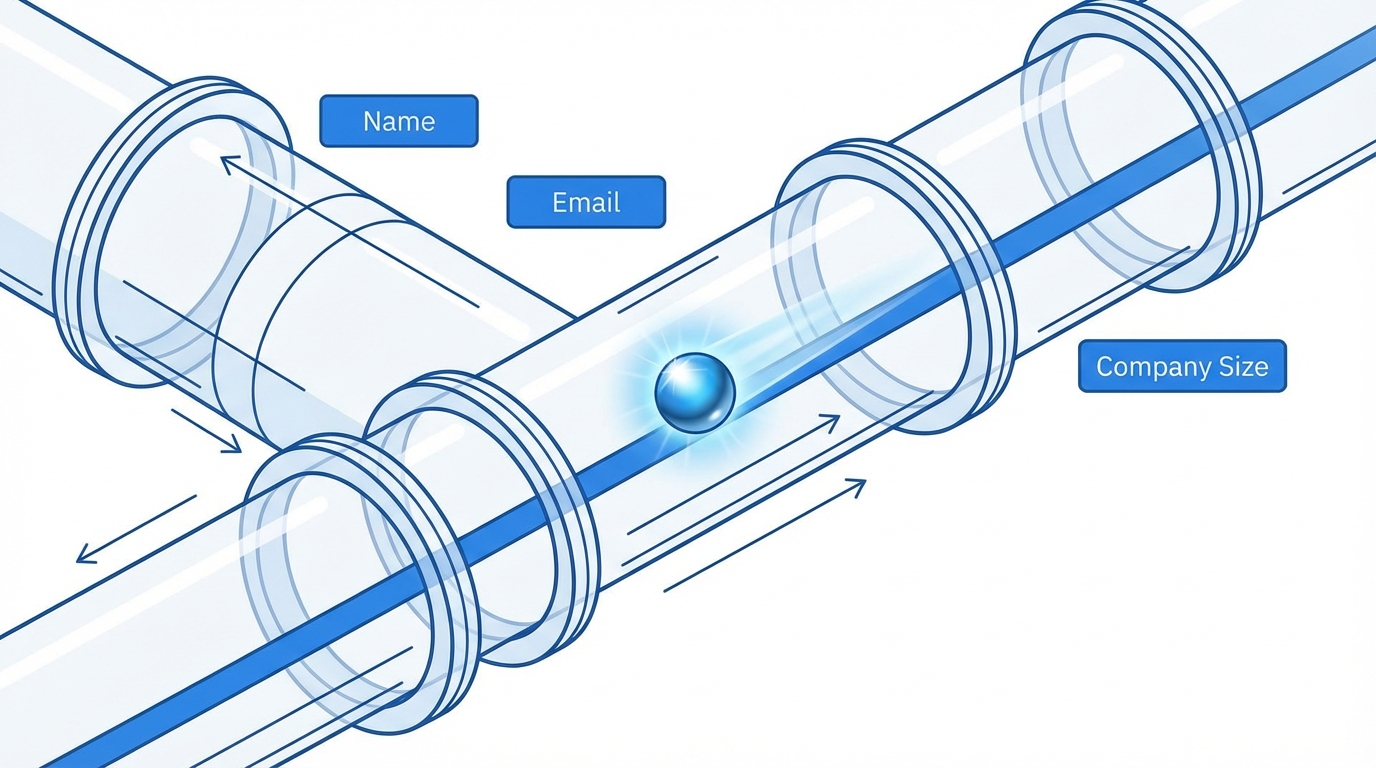
The structure of your lead capture form is the architecture of the user experience. A poorly designed form feels like a tedious survey; an optimized form feels like a guided, intentional conversation designed to qualify fit.
Optimal Field Count for B2B Qualification
Generic marketing doctrine dictates minimizing friction by limiting fields to 3–5. However, for high-ticket B2B, qualification is paramount. Strategic B2B forms often require 6 to 8 fields to gather the necessary data for sales enablement and lead scoring. The critical factor is not the number of fields, but their relevance and logical grouping.
We categorize form fields into three strategic levels. This phased approach ensures the initial barrier to entry remains low while still capturing the essentials needed for immediate follow-up and routing. Only the mandatory fields should appear on the initial form submission step.
| Category | Purpose | Examples (B2B/SaaS) |
|---|---|---|
| Mandatory (Phase 1) | Enables immediate contact and lead routing. | Full Name, Business Email, Company Name. |
| Qualification (Phase 1 or 2) | Determines fit, urgency, and sales prioritization (e.g., firmographics). | Company Size (dropdown), Primary Goal/Challenge, Budget Range (optional). |
| Enrichment (Phase 2 or Nurture) | Used for long-term segmentation, future marketing, and channel attribution. | Phone Number (optional), Industry, How did you hear about us? |
Utilizing Multi-Step Forms and Progressive Profiling
When the depth of qualification required exceeds five fields, presenting a single, monolithic form is a guaranteed conversion killer. The strategic solution lies in leveraging sequential data collection via multi-step forms and progressive profiling.
Multi-Step Forms
Break the 6–8 required fields into 2 or 3 visually distinct steps. The first step captures high-value, low-friction data (Name, Email). The subsequent steps capture qualification data. This design leverages the psychological principle of commitment; once a user invests the effort to start the process, they are far more likely to finish.
Progressive Profiling
This technique is essential for long sales cycles and robust content marketing strategies. Instead of asking for the same data repeatedly across different content downloads or requests, the form dynamically displays new, previously uncollected fields on return visits. Your CRM (e.g., HubSpot or Salesforce) handles this logic, ensuring you build a complete profile over time without repeating friction.
- Interaction 1 (Gated Ebook): Ask for Name and Email.
- Interaction 2 (Demo Request): Ask for Company Size and Job Title.
- Interaction 3 (Pricing Page): Ask for Budget Range and Buying Timeline.
This systematic approach allows us to build a complete lead profile over time, maintaining low friction at every individual touchpoint, which is vastly superior to a single, overwhelming form.
Designing for Mobile and Scannability
Given that mobile traffic often constitutes 50% or more of top-of-funnel engagement, forms must be designed with a mobile-first philosophy. Optimal mobile design minimizes user error and maximizes completion speed:
- Vertical Stacking: All fields should be vertically stacked—avoid side-by-side fields, which break flow and responsive design on smaller screens.
- Large Input Fields: Ensure fields are easily tappable (minimum 44px height).
- Inline Validation: Errors must display immediately and clearly next to the offending field, ensuring the user fixes the issue before attempting to submit again.
- Smart Keyboard Types: Utilize HTML5 input types (e.g.,
type="email",type="tel") to automatically trigger the correct mobile keyboard, significantly speeding up data entry.
3. Maximizing Conversion Rate Elements

While the previous section focused on the architecture of the form itself (structure and field count), successful high-ticket optimization is equally about trust, clarity, and the perceived value exchange. Every element surrounding the form either accelerates conversion or introduces doubt.
Conversion Accelerators: Building Trust and Clarity
We insist that every high-converting B2B form incorporates these mandatory elements to maximize psychological security and focus the user on the outcome:
- The High-Contrast, Action-Oriented CTA: The button text must be specific and action-oriented. Avoid generic friction words like “Submit” or “Click Here.” Use phrases that reiterate the immediate value: “Get My Custom ROI Report” or “Book My Strategic Demo Slot.”
- Trust Signals: Include logos of major clients, recognized security badges (e.g., ISO 27001, SOC 2), or a short, relevant testimonial immediately adjacent to the form fields. These validate your authority and reliability.
- Value Proposition Reinforcement: Directly above the form fields, summarize what the prospect receives and why it matters in one concise, benefit-driven sentence. This acts as the final motivation before data entry.
- Privacy Policy Link: A non-negotiable requirement for compliance (especially GDPR/CCPA). Place a clear, prominent link directly beneath the CTA button, explicitly stating that you respect their privacy and will not share their data.
- Eliminate CAPTCHA: CAPTCHA adds unnecessary friction and degrades the user experience. Use modern, invisible spam filtering (such as reCAPTCHA v3 or Honeypots) integrated into your form builder instead.
Leveraging Interactive Formats for Deep Qualification
For qualifying high-ticket leads, static forms are increasingly being replaced by interactive formats. These include personalized quizzes, diagnostic assessments, and ROI calculators. These formats inherently offer a powerful value exchange: the user receives a personalized result or diagnosis in exchange for providing extensive data.
Interactive forms boost completion rates because they feel less like data harvesting and more like personalized content. Furthermore, they allow for deep qualification before the lead ever hits the CRM:
- Qualification Quizzes/Assessments: Ask strategic questions related to pain points, current tech stack, and budget before requesting contact details. This pre-qualifies the lead based on readiness and fit, ensuring sales time is spent wisely.
- ROI Calculators: Require users to input company metrics (revenue, team size, current costs) to receive a projected return on investment from your solution. This is an extremely high-value incentive that justifies the collection of extensive, specific data required for BOFU sales conversations.
Strategic Gatekeeping: Professional vs. Personal Email Validation
A persistent debate revolves around requiring professional (work) emails versus accepting personal emails (Gmail, Outlook). The strategic choice depends entirely on your funnel stage and the perceived friction.
If you are targeting professionals in the early awareness stage (Top of Funnel content like ebooks or guides), forcing a professional email can decrease conversion rates by over 50%. Prospects often prefer using personal accounts for early research to avoid alerting internal teams or filling up their work inbox with marketing materials.
Our Strategic Recommendation: Segment by Funnel Stage
- Top of Funnel (Ebooks, Guides, Checklists): Accept both professional and personal emails. Leverage AI enrichment tools to instantly append missing firmographic data (company, title, professional email) before routing the lead.
- Bottom of Funnel (Demo Request, Pricing Quote, Consultation): Require a professional email. At this stage, the prospect is sales-ready, demonstrating serious intent and should be using their verified company identity.
If you choose to accept personal emails, ensure your CRM segmentation tracks this data point. Leads submitting personal emails should be routed to a longer, more educational nurturing track, while professional emails should trigger immediate, prioritized sales outreach.
4. Technical Implementation and CRM Alignment
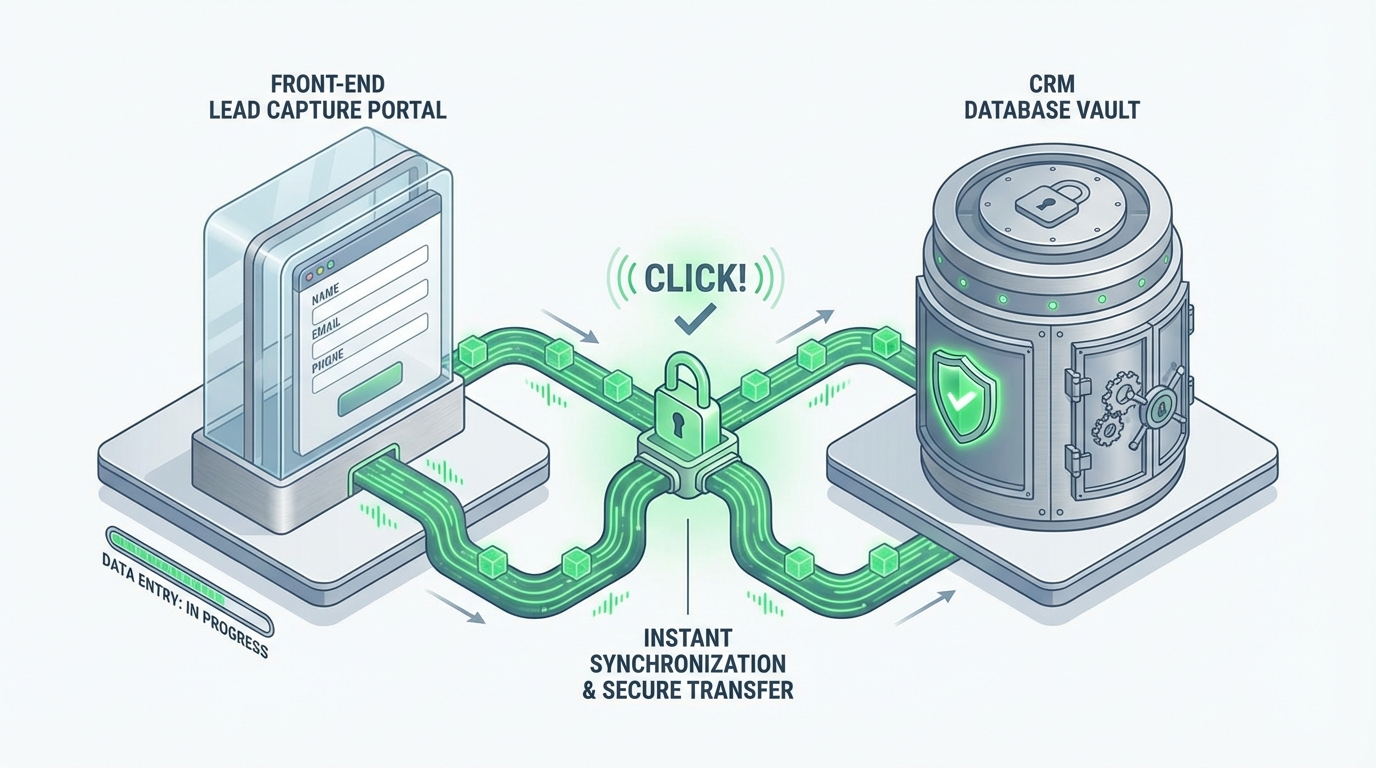
An aesthetically perfect, high-converting form is functionally useless if the data collected does not instantly integrate into your sales workflow. For high-ticket B2B, technical alignment is the non-negotiable bridge between marketing conversion and rapid sales closure.
Instant Lead Routing and Follow-Up Speed
The speed of follow-up is arguably the single greatest predictor of conversion success for high-ticket B2B leads. When a prospect submits a high-intent request (like a demo or consultation), their intent peaks in the first five minutes. Studies show a delay of just 30 minutes can decrease your chance of conversion by over 20 times. You must treat this as a technical emergency.
You must automate the post-submission workflow to eliminate manual intervention:
- Instant CRM Record Creation: The form submission must immediately create a complete, scored lead record in your primary CRM (HubSpot, Salesforce, Pipedrive, etc.).
- Automated Notification & Routing: Use CRM workflows and AI scoring to instantly notify the correct sales representative (based on territory, company size, or industry) via high-priority channels like Slack or email.
- Immediate Confirmation Email: Send a personalized, plain-text confirmation email within 60 seconds, reiterating the next steps and providing the sales rep’s direct contact details. This maintains crucial momentum.
Review The 2025 Mandatory Lead Nurturing Campaign Checklist to ensure your post-form sequence is optimized for speed and personalization.
Tracking and A/B Testing Protocols
Optimization is not a set-it-and-forget-it task; it is an iterative process driven solely by empirical data. If you are not testing, you are guessing—and wasting budget. Implement rigorous tracking and integration protocols immediately:
Mandatory Integration Checklist
- ✅ Event Tracking Setup: Ensure Google Analytics 4 (GA4) or other analytics platforms track form views, form starts, and successful submissions as distinct events for accurate funnel analysis.
- ✅ Form Field Mapping: Every field must map correctly to a corresponding property in your CRM for accurate segmentation and routing.
- ✅ A/B Testing Framework: Use dedicated tools (like Unbounce or Optimizely) or native CMS features to run statistically significant tests on high-leverage elements.
- ✅ Lead Scoring Integration: Form data (especially qualification fields like Company Size and Role) must instantly feed your lead scoring model to prioritize sales outreach effectively.
We recommend detailed event tracking to understand how traffic converts to qualified revenue. Learn how to implement this using Strategic GA4 ROI Tracking for High-Ticket Leads.
The Disciplined A/B Testing Approach
Effective A/B testing is disciplined, not random. To avoid inconclusive results, test only one variable at a time and ensure you reach statistical significance before declaring a winner and implementing the change permanently.
Focus your testing efforts on the highest-leverage elements:
- CTA Button Text: Test phrases that emphasize personalized benefit vs. speed (e.g., “See My Custom Strategy” vs. “Book Demo Now”).
- Field Order: Test moving high-friction qualification questions (e.g., Budget, Timeline) from the beginning to the end, or vice versa, to evaluate the effect on submission volume and lead quality.
- Form Headline: Test a headline that focuses on the prospect’s pain point versus one that emphasizes the immediate solution or outcome.
- Multi-Step vs. Single-Step: If your form exceeds five fields, rigorously test the conversion rate of a multi-step design (using progress bars) against the single-step version.
5. Continuous Optimization: The Feedback Loop
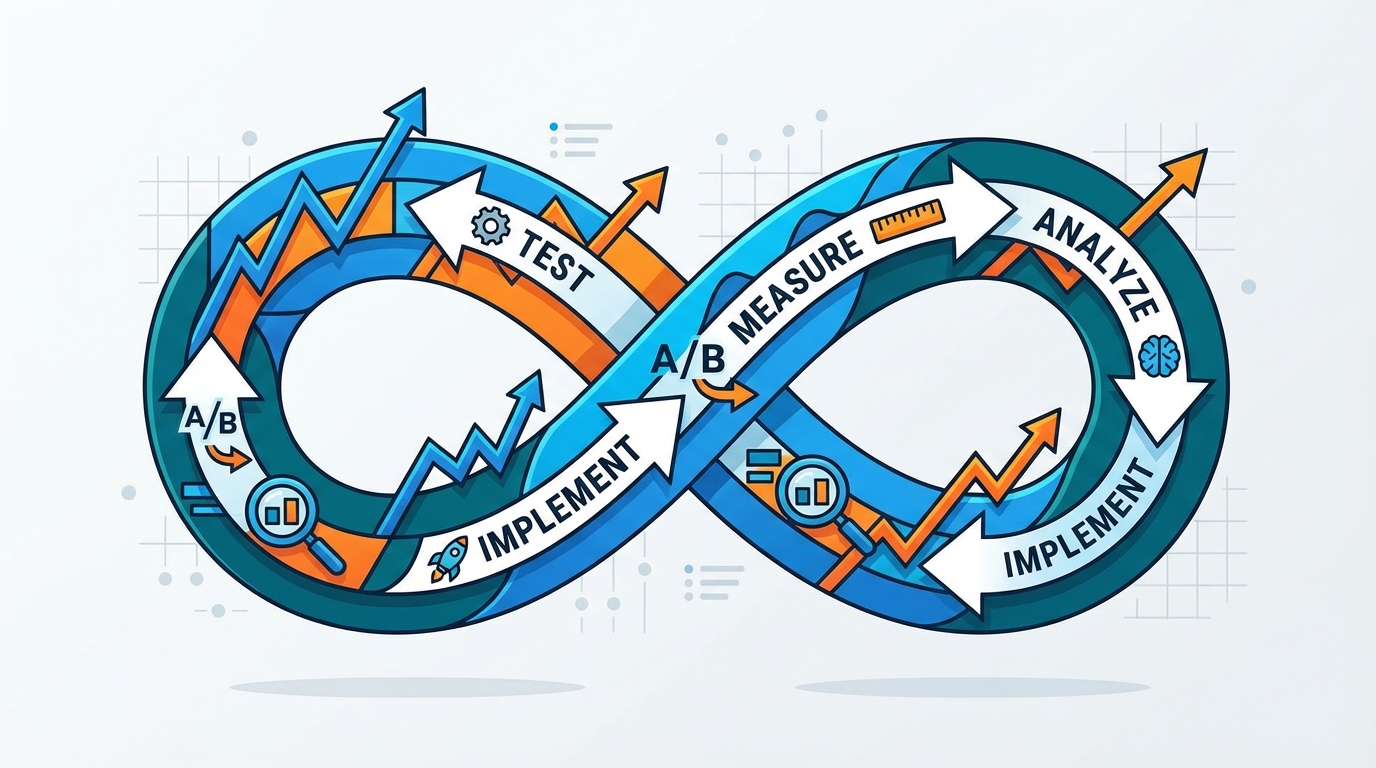
Form optimization is not a project; it is a continuous operational loop. Because market conditions, audience sophistication, and platform algorithms constantly shift, form performance is always decaying. You must establish a formal, mandatory mechanism for constant refinement.
The Sales Feedback Mandate
The marketing team must solicit structured, mandatory feedback from the sales team, ideally monthly. Sales representatives are on the front lines; they know precisely which leads are ghosts and which are genuine opportunities. Their unfiltered feedback is the single most valuable input dictating your next optimization cycle.
To close the loop effectively, require sales to provide structured input on the following critical data points:
- Data Utility: Which pieces of information collected on the form were actually used in the first sales call? Eliminate any field that the sales team consistently ignores.
- Qualification Gaps: What critical piece of information is consistently missing that forces the sales rep to ask unnecessary discovery questions? Add this information to the form or implement a progressive profiling stage.
- Lead Quality Score Accuracy: Are the leads scoring highly actually converting and closing? If low-scoring leads are proving to be high-value, your scoring system—and potentially your form fields—need immediate recalibration.
- Follow-Up Experience: Did the lead express frustration with the form process, the confirmation email, or the routing speed? This reveals technical friction points that undermine the initial conversion success.
By treating the lead capture form as a living, revenue-generating asset and integrating direct sales intelligence into the optimization strategy, you move decisively beyond simple conversion rate vanity metrics. This process ensures that every form submission contributes directly to verifiable pipeline acceleration.
Frequently Asked Questions

How many fields should a high-ticket B2B form have?
For high-ticket B2B, the sweet spot is typically 6 to 8 strategic fields. The objective is prioritizing qualification data (quality) over sheer volume.
Strategic considerations:
- Friction Tolerance: Prospects will tolerate more friction if the perceived value of the offer (e.g., a custom demo, strategic consultation) is sufficiently high.
- Multi-Step Forms: Implement 2 or 3 steps to break down the cognitive load. This allows you to collect crucial intent data first and qualification/firmographic data second.
Should I require a professional email address?
This decision is determined by the specific funnel stage and conversion goal:
- Top of Funnel (TOFU): For assets focused on early research (e.g., e-books, guides), accept personal emails to maximize initial conversion volume. Use third-party AI enrichment tools to gather professional details post-submission.
- Bottom of Funnel (BOFU): For high-intent actions (Demo Request, Pricing Quote, Consultation), mandate a professional email address. This is critical for ensuring high lead quality, accurate firmographic data, and minimizing spam or competitor submissions.
What is the most crucial element to A/B test on a form?
The most crucial element to test is the Call-to-Action (CTA) button text. This single piece of copy directly impacts commitment and is often the final psychological hurdle.
The CTA must immediately communicate the value received (the outcome or benefit) rather than just the action taken (the instruction). Always test specific, benefit-driven language (e.g., “Generate My Custom Strategy”) against generic commands (e.g., “Submit” or “Download Now”).
How quickly must sales follow up after a form submission?
For high-intent submissions (e.g., Demo Request, Consultation), sales must initiate contact within the critical window: five minutes or less.
Lead response time is directly correlated with conversion rates. Achieving this speed requires mandatory automated CRM routing, instant notifications (SMS/Slack) to the assigned rep, and pre-written rapid response scripts.
Ready to take the next step?
Try AI Lead Generation Today
Click HereReferences
- 20 Lead Generation Form Examples with Best Practices – Unbounce
- Lead Generation Forms Best Practices: Create Forms that Convert
- Turn your leads into revenue: start with better lead capture forms
- Best process to capture lead information at an event?
- The 2025 lead capture form report (with 5 need-to-know tactics)