
If you are a SaaS founder or a service business owner, you already know the power of organic reach on Facebook. Groups, profiles, and direct outreach remain some of the most cost-effective ways to acquire qualified leads in 2025. But here’s the brutal truth: most entrepreneurs treat manual lead generation like an unorganized hobby, not a scalable strategy.
They execute brilliant outreach, secure warm leads, and then lose track of the data the moment the conversation leaves the Messenger app.
Tracking manual Facebook lead generation isn’t just about logging names; it’s about creating a repeatable, analyzable system that informs your eventual automation strategy. Without structured tracking, you are guessing which activities convert and which are merely wasting your time.
This comprehensive guide will show you exactly how to implement a strategic tracking framework for all your non-paid, manual efforts on Facebook, ensuring every hour you spend translates into quantifiable pipeline growth.
Why Manual Tracking is a Strategic Necessity (Before Automation)

You might be thinking, “Why bother with manual tracking if I plan to automate later?” The answer is simple: automation requires a proven blueprint. You cannot automate chaos. Manual tracking provides the ground-level data necessary to identify your high-leverage activities, refine your messaging, and pinpoint the exact stage where prospects drop off.
In 2025, speed and efficiency are non-negotiable. If you cannot track the velocity of a lead moving from “Group Comment” to “Discovery Call,” you have no basis for optimizing your funnel.
The Value Proposition of Structured Manual Tracking
For small businesses and startups operating on lean budgets, manual efforts are often the primary source of initial growth. By formalizing your tracking, you move from anecdotal evidence to actionable intelligence. This data allows you to calculate your true Cost Per Acquisition (CPA) even when the cost is purely time.
When it comes time to implement sophisticated AI-driven tools, you will input proven conversion metrics, not hunches. This is the difference between a successful automation rollout and a costly failure.
Manual vs. Automated Tracking: A Strategic Comparison
We need to understand where manual tracking excels and where automation takes over. This distinction is critical for resource allocation.
Pros & Cons: Manual Tracking vs. Automation
Manual Tracking (Spreadsheet/CRM)
- Pros:
- Deep qualitative insights into conversations.
- Zero initial software cost (only time).
- Flexibility to track highly customized outreach campaigns.
- Perfect for testing new niches or messaging angles.
- Cons:
- Highly time-consuming and prone to human error.
- Lacks real-time reporting capabilities.
- Difficult to scale beyond 50 leads per month.
Automated Tracking (CRM/AI Tools)
- Pros:
- Real-time updates and conversion metrics.
- Scalability for high-volume outreach.
- Reduced human error and immediate data sync.
- Allows for complex attribution modeling.
- Cons:
- Requires initial setup and integration expertise.
- Monthly software costs.
- Can miss subtle, qualitative nuances in early conversations.
Key Highlights: The 3 Pillars of Manual Tracking
To succeed with manual tracking, you must focus on three core areas:
- Source Attribution: Knowing exactly which group, post, or profile interaction generated the lead.
- Stage Consistency: Defining clear, measurable stages in your sales pipeline (e.g., Contacted, Replied, Qualified, Booked).
- Conversion Velocity: Tracking the time elapsed between key stages (e.g., first contact to call booked). This informs your follow-up strategy.
Phase 1: Defining Your Manual Facebook Outreach Metrics
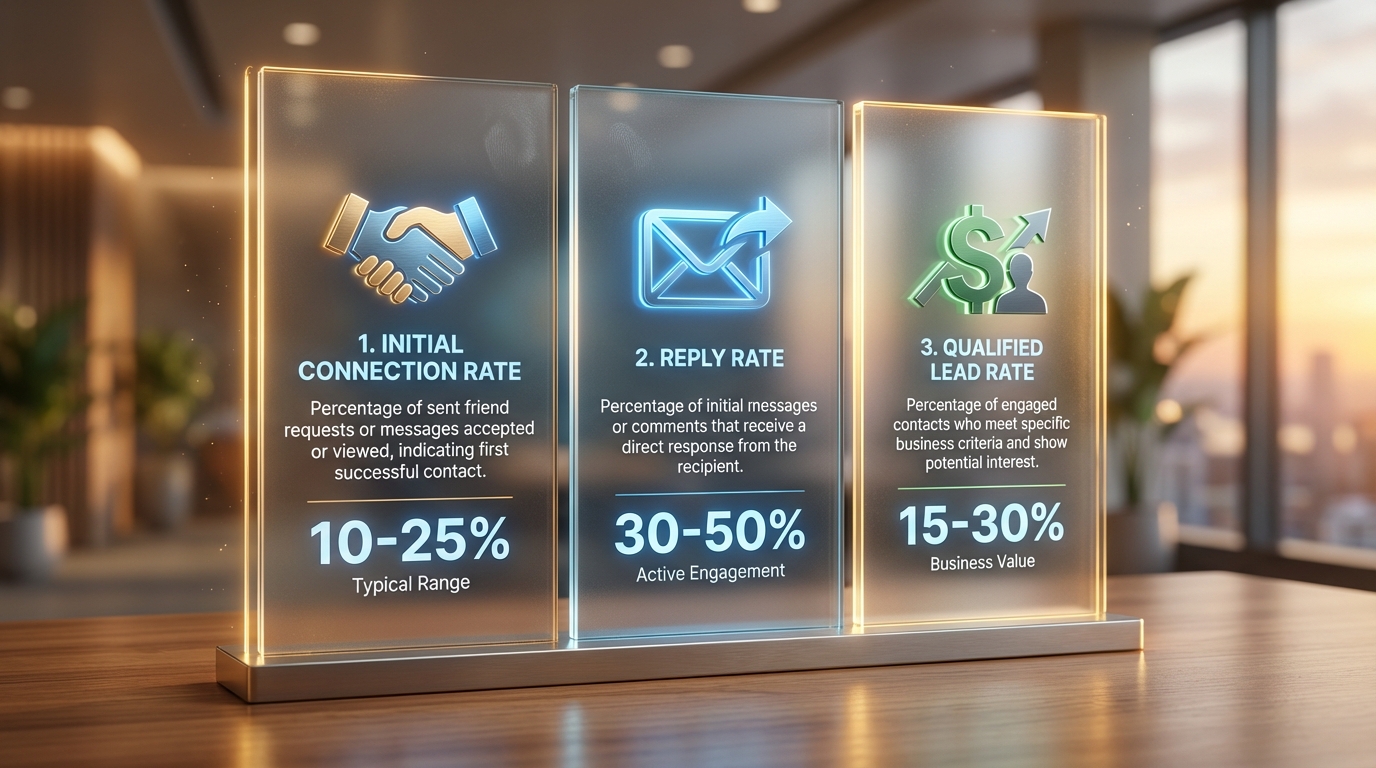
The biggest mistake in manual tracking is focusing only on the outcome (the closed deal). For manual outreach, the true power lies in tracking the activities that lead to the outcome. These are your leading indicators.
We need to track activity volume to establish reliable conversion rates.
Leading Indicators: Activities You Must Log
Leading indicators are the inputs-the work you put in.
- **Outreach Volume:** How many new, personalized DMs did you send today? Be specific: “New connections requested” vs. “Cold DMs sent.”
- **Group Engagement:** How many high-value comments did you leave in target groups? A high-value comment is one that solves a problem and invites a profile click or a DM.
- **Content Interactions:** How many times did prospects engage with your recent high-value content (e.g., a post on your personal profile)?
- **Profile Views:** While hard to track precisely, monitor spikes after specific group activity. This is where your Facebook Profile Optimization Checklist 2025: The Service Provider’s Guide becomes essential as a conversion tool itself.
Lagging Indicators: The Conversion Funnel
Lagging indicators are the results-the measurable progress towards a sale.
- **Initial Response Rate (IRR):** Percentage of outreach messages that receive a reply.
- **Qualified Lead Rate (QLR):** Percentage of replies that meet your basic qualification criteria (e.g., specific industry, revenue size).
- **Booking Rate (BR):** Percentage of qualified leads who agree to a discovery call or demo.
- **Close Rate (CR):** Percentage of booked calls that convert to paying clients.
By tracking these rates, you can quickly identify bottlenecks. If your IRR is high but your QLR is low, your initial qualification questions are weak or your targeting is off. If your BR is low, your value proposition in the Messenger conversation is failing.
Checklist: Essential Metrics for Manual Facebook Lead Gen
- ✓ Prospect Name and Facebook URL
- ✓ Date of First Contact (DOF)
- ✓ Initial Source (e.g., Group A, Post X, Referral)
- ✓ Current Stage (e.g., Contacted, Replied, Qualified, Booked, Closed/Lost)
- ✓ Last Follow-up Date
- ✓ Next Follow-up Action/Date
- ✓ Value of Potential Deal (if applicable)
Phase 2: Choosing Your Tracking Infrastructure (CRM vs. Spreadsheet)
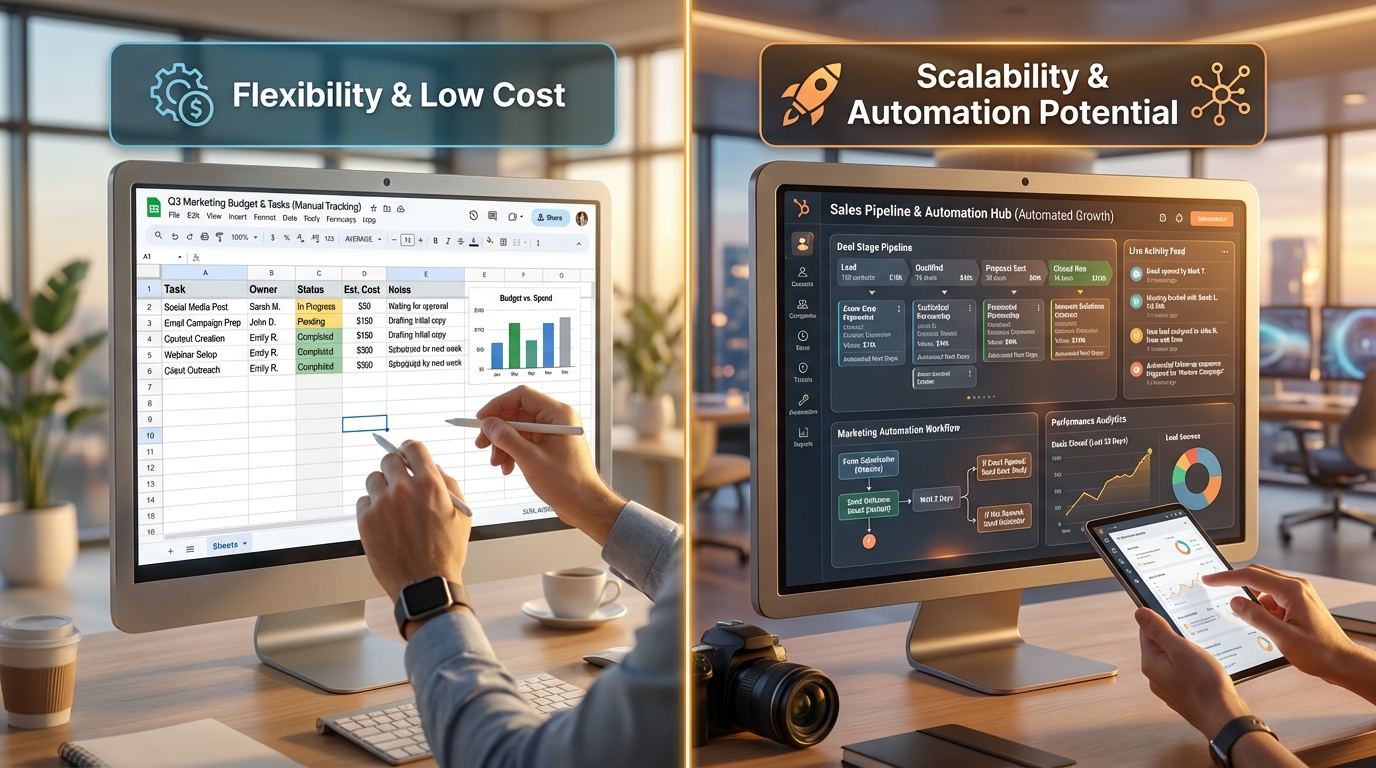
For manual tracking, you are choosing between simplicity and functionality. Your decision should be based purely on current volume and budget.
The Spreadsheet Method (Trello, Google Sheets, Airtable)
For businesses handling fewer than 50 new leads per month, a robust spreadsheet (like Google Sheets) or a visual Kanban board (like Trello or a basic CRM pipeline view in Airtable) is often the fastest way to start.
Critical Spreadsheet Columns:
- **Lead ID:** Unique identifier.
- **Source Detail:** Specify which group post or comment thread led to the DM. This is crucial for replication.
- **Message Template Used:** If you are testing different opening lines, log which one you used. This links your messaging strategy directly to your IRR.
- **Time to Book:** A calculated field showing the number of days between DOF and Call Booked Date. This is your velocity metric.
Comparison Table: Spreadsheet vs. Lightweight CRM
| Feature | Google Sheet/Airtable | Pipedrive/HubSpot (Free Tier) | Strategic Advantage |
|---|---|---|---|
| Cost | Free (Time investment only) | Low to Free (Scales up with features) | Budget-friendliness for lean startups. |
| Data Structure | Highly customizable, prone to errors | Structured, standardized fields, fewer errors | Data integrity and long-term scalability. |
| Automation Potential | Low (Requires Zapier or APIs for sync) | High (Native integrations, workflow automation) | Preparation for high-volume lead handling. |
| Attribution | Entirely manual entry | Can automate lead source capture (if using UTMs) | Accuracy in determining ROI per channel. |
| Ideal Volume | <50 leads/month | 50+ leads/month | Determining the transition point. |
Strategic Advice: Start with a structured spreadsheet. Once you find a proven manual flow that generates consistent leads, migrate that tracked data into a lightweight CRM. This prevents you from paying for a CRM while you are still validating your lead generation flow.
Phase 3: The Step-by-Step Manual Tracking Process

Tracking a lead from initial exposure to closing involves disciplined data entry at specific trigger points.
1. Tracking Group Engagement and Source Attribution
When you post a high-value comment in a Facebook group and someone DMs you or clicks your profile link, how do you track that source?
The Manual UTM Solution:
Since Facebook often strips standard tracking parameters, you must create a manual system for source tagging.
- **Scenario:** You post in “SaaS Founders Group A” and get a DM.
- **Action:** When you create the lead entry in your spreadsheet, the “Source Detail” field must read:
FB Group A | Post: 11/25/2025 | Topic: AI Copywriting.
This level of detail allows you to analyze, six months later, whether comments on AI-related topics convert better than comments on funding topics.
Profile Link Tracking (The Smart Manual Move):
You should always use a trackable link in your Facebook profile bio that leads to your landing page, scheduler, or lead magnet. Even if the lead generation is manual, the click is digital.
Use a free link shortener (like Bitly or a custom domain shortener) that allows you to append UTM parameters manually.
- **Example Link:**
yourdomain.com/free-guide?utm_source=fb_profile&utm_medium=bio&utm_campaign=manual_2025
When a user clicks this link, they land on your site, and Google Analytics (or your CRM) logs the click as coming specifically from your Facebook profile bio. This is a crucial bridge between manual effort and automated data capture.
2. Tracking Direct Messenger Outreach
This is where consistency is paramount. Every time you initiate a new cold or warm conversation, you must log it immediately.
- **Trigger 1: Outreach Sent.** Log the lead, the date, and the “Contacted” stage.
- **Trigger 2: First Reply Received.** Update the stage to “Replied.” Log the time elapsed (velocity). This data is vital for optimizing your opening line. If replies take 3 days, your initial message is not urgent enough.
Remember the advice from the SERP data: successful follow-up requires immediate action. By tracking the exact time a reply comes in, you can measure your team’s (or your own) actual response time.
3. Tracking Follow-Up Strategy
Manual follow-up is tedious but necessary in the early stages. You need a system to ensure no lead falls through the cracks. We recommend using the “Next Action Date” field.
For a detailed look at sequence structure, review our guide on Manual Follow Up Strategy For Facebook Lead Generation.
When you send a follow-up message, update the “Last Follow-up Date” and set the “Next Follow-up Action” (e.g., “Send Case Study,” “Try Phone Call,” “Archive”) and the corresponding date.
Strategic Velocity: The Cost of Delay in 2025
Based on modern sales velocity studies, the “Speed-to-Lead” metric is more critical than ever, especially for high-intent Facebook leads.
Ideal maximum response time for inbound leads.
Leads contacted within 5 minutes are 9 times more likely to convert.
The average drop in qualification rate after 24 hours of delay.
Tracking Messenger Conversations and Pipeline Stages
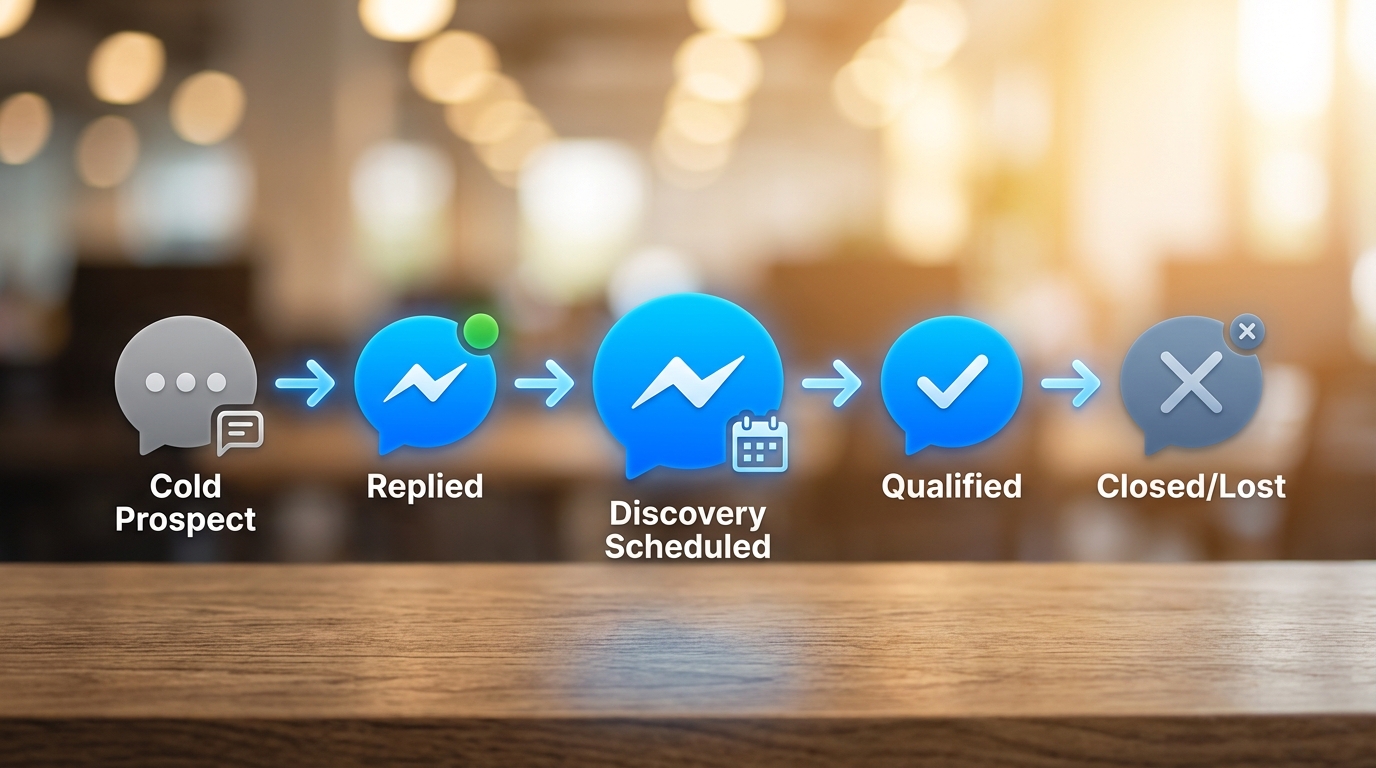
The heart of manual lead generation tracking is the ability to move a lead through defined stages based on explicit criteria. You must standardize your pipeline stages.
Standardizing Your Manual Sales Pipeline
Your pipeline stages should align with the actions taken, not just vague feelings about the lead.
| Stage Name | Definition & Entry Criteria | Key Tracking Metric |
|---|---|---|
| Raw Lead | Contacted, but no reply yet. | Outreach Volume, Initial Response Rate (IRR) |
| Engaging | Replied, but not yet qualified (still building rapport). | Time to Reply |
| Qualified (MQL) | Meets demographic/firmographic criteria (e.g., revenue, role, need). | Qualified Lead Rate (QLR) |
| Opportunity | Has explicitly agreed to a discovery call or demo. | Booking Rate (BR), Time to Book |
| Negotiation/Proposal | Proposal delivered or pricing discussed. | Proposal Acceptance Rate |
| Closed Won | Contract signed, invoice paid. | Close Rate (CR) |
| Closed Lost | Lead opted out, disqualified, or went cold. | Reason for Loss (Crucial for analysis) |
The Crucial Role of Notes:
In your tracking sheet or CRM, the ‘Notes’ section is where you capture the qualitative data that automation cannot. Log details like:
- Specific pain points mentioned.
- Competitors they are considering.
- Budget constraints or timeline.
- Key personality traits or preferences.
This information is invaluable for personalized follow-up and eventual handoff to a sales team member or an AI-driven personalization engine.
Attribution Challenges in Organic Facebook Lead Gen

Manual Facebook lead generation often involves multi-touch attribution. A prospect might see your post in Group A, click your profile link, read your content, and only DM you a week later after seeing your connection request.
How do you attribute the source accurately?
The Rule of First Meaningful Engagement (FME):
Attribute the lead to the point where they showed the highest intent or where you initiated the most direct interaction.
- If they clicked a trackable UTM link first: Attribute it to the link source (e.g.,
FB_Profile_Bio). - If they DMed you immediately after a group comment: Attribute it to the Group/Comment.
- If they replied to your cold DM: Attribute it to your Direct Outreach campaign.
The goal is not perfect attribution-that is often impossible without deep automation-but reliable attribution that tells you which activity yields the most engaged leads. If your group commenting generates leads that close at a 30% rate, and your cold DMs close at 10%, you know where to focus your manual time.
Scaling Manual Tracking: The Transition to AI and Automation

Manual tracking is a training ground. It provides the statistical foundation and process map you need to achieve true scalability. Once you hit the ceiling of manual effort-typically when you spend more time logging data than generating leads-it is time to transition.
The data you collected (IRR, QLR, Time to Book, successful messaging templates) are the inputs for your next level of growth.
When to Make the Leap
You need to switch to automated tracking when:
- **Volume Exceeds Capacity:** You are consistently generating more than 50 new leads per month, and data entry is taking up more than 5 hours per week.
- **Velocity is Too Slow:** Your “Time to Book” metric is increasing because you are manually sorting leads instead of immediately routing hot prospects.
- **Analysis is Stagnant:** You lack the time to run weekly conversion reports because the data collection itself is overwhelming.
Leveraging AI Tools for Facebook Leads in 2025
The modern AI lead generation toolkit is designed to automate the repetitive tasks you currently track manually:
- **AI Messenger Scripts:** Tools can analyze your highly converting manual scripts (logged in your tracking sheet) and generate optimized, personalized responses for cold outreach. This significantly boosts your IRR without manual typing.
- **Automated Lead Scoring:** Instead of manually qualifying leads based on their responses, AI can score leads based on keywords and intent signals in the Messenger conversation, instantly prioritizing hot prospects for immediate human follow-up.
- **CRM Sync:** Tools use Zapier or native integrations to bypass the manual CSV download process entirely, syncing new leads from Facebook (both organic and paid) directly into your CRM in real-time.
By transitioning, you stop spending time on data entry and start spending time on high-leverage activities: closing deals and refining strategy.
If you are looking for the next evolution of your sales process, understanding how to leverage AI is crucial. Read our guide on The Best AI Lead Generation Tools for Sales Teams in 2025 to prepare for this transition.
Maximizing Data Integrity and Consistency
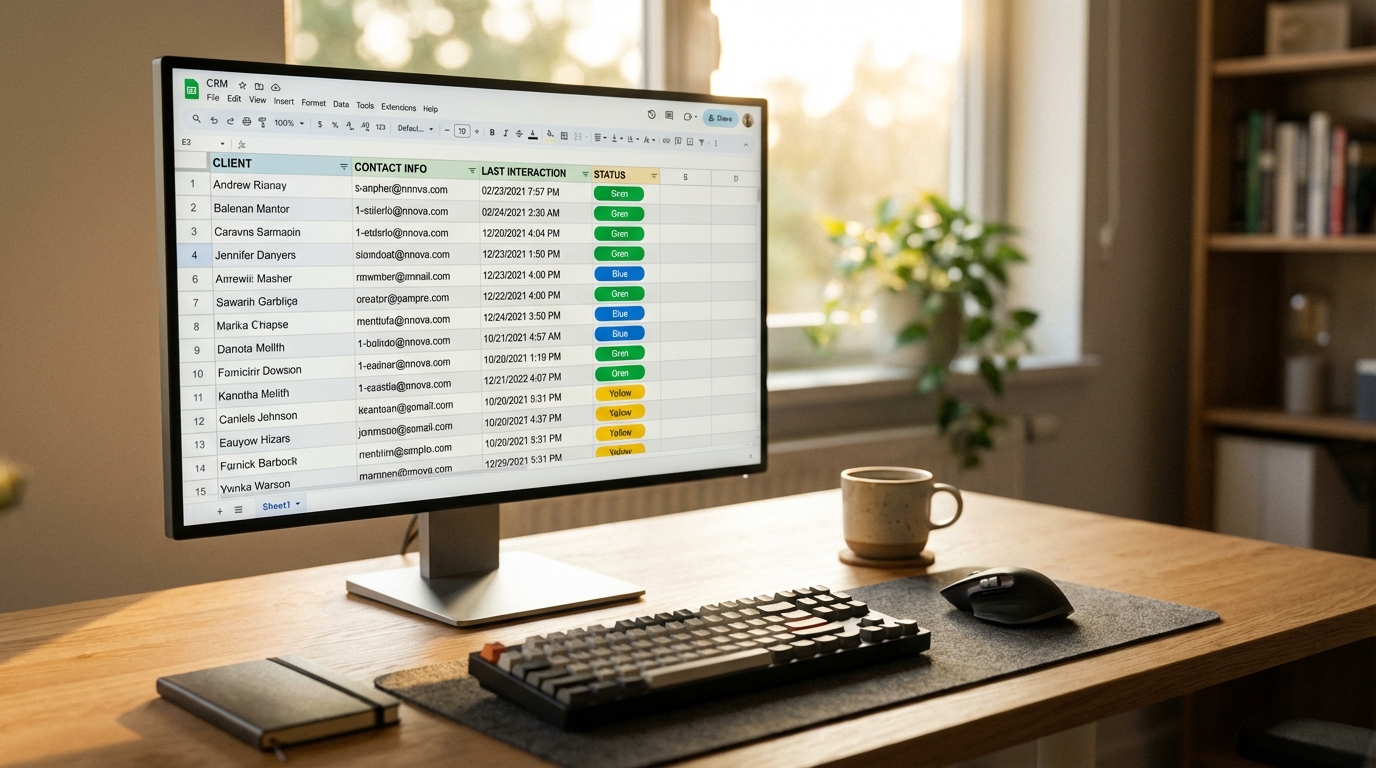
Data integrity is the non-negotiable foundation of tracking. Garbage in, garbage out.
Standardizing Stage Definitions
Ensure that everyone involved in lead generation (even if it’s just you) uses the exact same criteria for moving a lead from one stage to the next. Do not allow a lead to be marked “Qualified” simply because they replied; they must meet the established demographic and need criteria.
Weekly Data Review and Cleaning
Schedule a minimum of 30 minutes every Friday to review your tracking sheet or CRM pipeline.
- Identify leads that have been in the same stage for too long (stagnant leads).
- Ensure all necessary fields (Source, Last Follow-up Date) are populated.
- Analyze your “Closed Lost” reasons to identify patterns (e.g., are you consistently losing leads due to budget issues? If so, adjust your targeting).
This disciplined review turns raw data into strategic insight. It tells you whether your manual effort is yielding quality prospects or just filling your pipeline with junk.
Frequently Asked Questions

Does manual Facebook lead generation tracking apply to Facebook Lead Ads?
No, manual tracking is specifically for organic, non-paid efforts (groups, profile, DMs). Facebook Lead Ads generate data directly in Ads Manager, which should be tracked automatically via CRM integration. However, the follow-up strategy derived from manual tracking metrics (like optimal response scripts) can be applied to Lead Ad follow-up.
How do I track revenue generated from organic Facebook leads if I don’t use a dedicated CRM?
If you are using a spreadsheet, you must manually log the final deal value in a dedicated column upon closing. To track ROI, you calculate the total revenue generated by the Facebook source and compare it against the time cost (your hourly rate multiplied by the total hours spent on that channel). This mirrors the “offline conversion” tracking method used by sophisticated CRMs, but requires disciplined manual entry.
What is the best way to handle leads that go cold after multiple manual follow-ups?
Mark the lead as ‘Closed Lost’ with the specific reason ‘Went Cold’ or ‘No Response After 6 Attempts.’ Move them into a separate long-term nurture list (usually an email list). Do not keep them cluttering your active pipeline. Consistent tracking of ‘Went Cold’ reasons helps you refine your messaging or identify if you are pitching too early in the conversation flow.
Should I use a separate tracking sheet for each Facebook group I target?
No, use one centralized tracking system (spreadsheet or CRM). The crucial distinction must be made in the ‘Source Detail’ column. Centralization allows you to run conversion rate comparisons (e.g., Group A vs. Group B) easily across all leads, preventing data silos and simplifying analysis.
Ready to Automate Your Proven Strategy?
Stop manually logging data and start scaling your high-converting outreach patterns. Find Your

About Ahmed Ezat
Ahmed Ezat is the Co-Founder of Pyrsonalize.com , an AI-powered lead generation platform helping businesses find real clients who are ready to buy. With over a decade of experience in SEO, SaaS, and digital marketing, Ahmed has built and scaled multiple AI startups across the MENA region and beyond — including Katteb and ClickRank. Passionate about making advanced AI accessible to everyday entrepreneurs, he writes about growth, automation, and the future of sales technology. When he’s not building tools that change how people do business, you’ll find him brainstorming new SaaS ideas or sharing insights on entrepreneurship and AI innovation.