
The landscape of lead generation has fundamentally changed.
Manual processes are now obsolete. They introduce costly friction.
Are you still copying data from forms into your CRM? Then you are losing money.
You are also wasting critical time.
Modern sales and marketing teams rely on instant, automated data flow.
This is non-negotiable for competitive advantage.
Zapier becomes your most powerful ally in this shift.
We are going deep today into the most crucial lead generation automation workflow templates for Zapier.
Small to mid-sized businesses (SMBs) must adopt these workflows right now in 2025.
These templates are designed for maximum efficiency.
They ensure E-E-A-T in your sales process by delivering immediate, personalized follow-up.
Is your goal to scale outreach without hiring more staff? Automation is the answer.
The E-E-A-T of Automation: Why Zapier is Essential

Automation is no longer a convenience.
It is a core requirement for demonstrating Expertise, Authoritativeness, and Trustworthiness (E-E-A-T) in digital marketing.
Consider a potential client filling out a high-intent form.
If they wait 48 hours for a human response, what message does that send?
It signals inefficiency. It signals a lack of preparedness.
Zapier solves this critical latency issue.
By connecting disparate tools, Zapier creates a unified, responsive ecosystem.
This immediate response capability boosts trust exponentially.
Core Benefits for SMBs and SaaS
SaaS founders and entrepreneurs prioritize speed and precision.
Budget constraints often mean smaller teams must handle massive lead volumes efficiently.
Zapier’s pre-built lead generation automation workflow templates for Zapier provide immediate leverage.
What specific, measurable advantages do these workflows deliver?
- Instantaneous Data Sync: New leads move from your landing page to your CRM in under 30 seconds, eliminating data entry lag completely.
- Reduced Human Error: Automation ensures fields are mapped correctly every time, improving data integrity by up to 99%.
- Scalability on Demand: Whether you capture 10 leads or 10,000, the workflow handles the load without manual intervention or bottlenecks.
- Better Lead Nurturing: Immediate assignment and segmentation allow for timely, relevant follow-up sequences, increasing engagement rates.
The AI Advantage: Integrating Tools for Precision
The true power of Zapier in 2025 lies in its ability to orchestrate AI tools seamlessly.
AI is no longer siloed technology.
It must fit directly into your existing operational stack.
For high-volume, personalized sales outreach, specialized tools like Pyrsonalize.com are essential.
How do you connect a specialized AI outreach platform with your forms and CRM?
You use Zapier as the central nervous system.
A lead is captured. It is immediately enriched by a data tool.
Then, the lead is passed to AI Lead Gen Tools with Built-in CRM Integration for personalized email crafting or strategic follow-up actions.
This seamless, automated handoff is the definition of modern, high-conversion lead generation.
Must-Have Lead Generation Automation Workflow Templates for Zapier
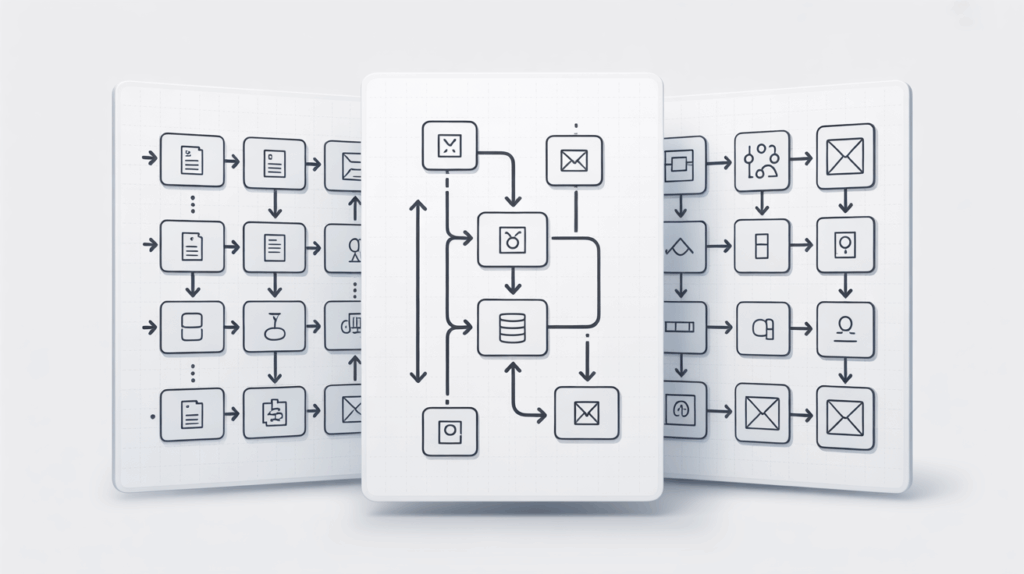
We have analyzed current market trends and essential business needs.
These three automation templates are non-negotiable for any business serious about growth in 2025.
They cover the entire lead lifecycle: capture, qualification, and initial contact.
Template 1: Unified Lead Capture & Routing
Leads originate from everywhere.
Sources include LinkedIn, Facebook Lead Ads, website forms, and content upgrade downloads.
Managing these disparate sources manually is a logistical nightmare.
The Unified Lead Capture template is designed to centralize this chaos instantly.
Workflow: Form Submission to CRM and Notification
This is the foundational template. It ensures zero lead leakage and immediate action.
- Trigger: New submission on any platform (e.g., HubSpot Form, Typeform, Gravity Forms).
- Action 1 (Data Formatting): Format the name and company data using Zapier’s Formatter to ensure consistent capitalization and prevent CRM deduplication errors.
- Action 2 (CRM Creation): Create or update a contact record in Salesforce, HubSpot, or Pipedrive. Tag the source clearly.
- Action 3 (Internal Alert): Send a notification to the relevant sales rep via Slack or Microsoft Teams, including key data fields.
- Action 4 (Confirmation): Trigger an instant, personalized confirmation email to the lead, setting expectations immediately.
Zapier provides specific templates like “Lead Capture Template” and “Form Template (Pipedrive integration)” for rapid deployment.
This simple structure saves your team hours of manual data entry every single week.
Template 2: Instant Lead Enrichment and Scoring
Not all leads are created equal.
Qualification must happen immediately after capture, boosting qualification speed by up to 70%.
This workflow uses automation to gather external data points, score the lead, and determine its priority.
Why waste valuable sales time calling a student when you are selling enterprise SaaS?
Workflow: Enrichment, Scoring, and Segmentation
This advanced workflow leverages third-party data providers and internal logic for precision.
- Trigger: New contact created in the CRM (from Template 1).
- Action 1 (Data Enrichment): Pass the lead’s email and company domain to a data enrichment tool (e.g., Clearbit, ZoomInfo, or Apollo).
- Action 2 (Scoring Logic): Analyze the returned data (employee count, industry, revenue estimate). Use Zapier’s internal “Paths” or a linked spreadsheet to calculate a weighted Lead Score (e.g., 1-100).
- Action 3 (CRM Update): Update the lead record in the CRM with the new score, enriched data, and a qualification tag (MQL/SQL).
- Action 4 (Segmentation): If the score is high (e.g., greater than 80), assign the lead to the “High Priority” queue and tag them for immediate human follow-up.
You need reliable data to make fast, high-stakes decisions. Learn more about optimizing this step in our guide on Data Enrichment Tools: Score Leads Faster in 2025.
Zapier’s native “Lead enrichment” and “Lead Scoring Template” are the essential starting points for this crucial automation layer.
Template 3: Automated Outreach Triggers (High-Speed Follow-up)
Speed dictates conversion rates. A 5-minute response window increases conversion probability by 900%.
Once a lead is qualified, the outreach must begin instantly.
This template is essential for sales teams utilizing personalized, AI-driven communications.
It bridges the critical gap between marketing qualification and sales execution.
Workflow: High-Score Trigger to Personalized Outreach
This is where your integrated AI lead generation tools truly shine and deliver ROI.
- Trigger: Lead Score field in CRM changes to “High Priority” or “MQL.”
- Action 1 (Data Transfer): Send the contact details (Name, Company, Title, specific pain point data) to an AI platform like Pyrsonalize.com.
- Action 2 (AI Personalization): The AI uses the enriched data to generate a hyper-personalized, contextually relevant first touch email sequence in real-time.
- Action 3 (Execution): The sequence is initiated, tracked via SMTP, and logged back into the CRM history.
- Action 4 (Sales Task Creation): Create a follow-up task in the CRM for the sales rep if the lead opens the email three times without responding within 24 hours.
By automating the cold outreach trigger, you ensure that every qualified lead receives contact within minutes, not hours.
This is precisely how you outperform competitors reliant on manual list imports and slow processes.
Are you maximizing your outreach volume efficiently? Check out our review of Top AI Tools for High-Volume Cold Outreach 2025.
Building Sophisticated Workflows: Beyond the Basic Zap
Basic automation is just the start of your journey.
High-growth businesses need resilient, multi-layered workflows immediately.
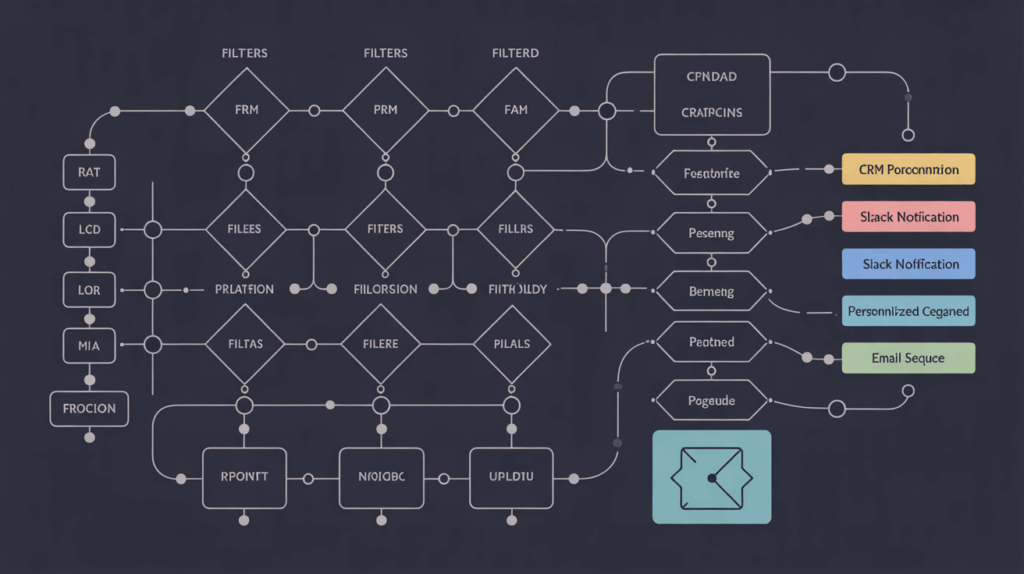
The true power of lead generation automation workflow templates for Zapier is unlocked when you combine steps and introduce conditional logic.
This ensures the right message reaches the right person, every single time, without human intervention.
Utilizing Multi-Step Zaps and Filters
A single, linear Zap often isn’t enough to handle complex business rules.
You need filters and paths to direct leads based on their behavior or profile.
This prevents valuable leads from falling into generalized queues.
Example: Lead Router Template Logic
The “Lead Router Template” is crucial for larger teams or companies selling multiple, specialized services.
| Condition (Filter Criteria) | Zapier Filter/Path Logic | Designated Action/Destination |
|---|---|---|
| Lead Title contains “VP” or “Director” | Use Zapier Filter: Only continue if Title contains ‘VP’ OR ‘Director’. | Assign to Senior Account Executive and set CRM priority to ‘A-Tier’. |
| Industry is “Financial Services” | Use Zapier Path A: Only continue if Industry matches ‘FinServ’. | Assign to Compliance Specialist Team and trigger FinServ-specific nurture sequence. |
| Source is “Free Trial Signup” | Use Zapier Path B: Only continue if Source matches ‘Trial’. | Send welcome sequence, assign to SDR for immediate call within 15 minutes. |
Filters prevent unnecessary actions and budget waste.
They ensure that valuable API calls are only used when the lead meets strict, defined criteria.
This level of precision saves budget and dramatically improves team focus and conversion efficiency.
Integrating AI for Hyper-Personalization at Scale
Personalization is the key differentiator in 2025 sales communication.
Generic messages are immediately deleted by modern buyers.
AI tools, connected via Zapier, make hyper-personalization scalable and affordable.
How exactly do we leverage AI within a complex Zap?
We use AI steps to analyze unstructured data inputs.
Imagine a lead submits a long-form request detailing a highly specific technical problem in the comments field.
A Zapier workflow can pass that unstructured text directly to an AI model (such as Pyrsonalize’s core engine).
The AI extracts key pain points and suggests the most relevant case study or product feature based on the text analysis.
This synthesized information is then automatically inserted into the sales rep’s internal notification.
Alternatively, it is used to generate the first email draft instantly.
This means your sales team starts the conversation already sounding like an industry expert.
That is the definition of true competitive advantage in lead engagement.
Implementation and Optimization Checklist

Deploying a Zapier workflow is quick and straightforward.
Optimizing it for long-term success requires strict discipline and continuous monitoring.
You must treat these automations like mission-critical infrastructure.
We see too many businesses set up Zaps and then promptly forget about them.
Do not fall into that costly trap.
Data Integrity and Testing Protocols
Garbage in, garbage out. This rule applies doubly to automation.
Data integrity is the absolute foundation of effective automation.
Before launching any new lead generation automation workflow templates for Zapier, follow a strict, repeatable testing protocol.
The Lead Automation Testing Cycle
- End-to-End Mapping: Trace a high-priority test lead from the initial capture form to the final CRM entry and sales rep notification. Verify every single data field.
- Filter Validation: Test leads that should pass filters (e.g., VP Title) and leads that should fail them (e.g., student email). Ensure the conditional logic holds up perfectly.
- Error Handling Review: Simulate API failures (e.g., a required field is missing or a service is down). Confirm that Zapier correctly pauses the Zap and notifies the administrator via email or SMS.
- Rate Limit Awareness: For high-volume Zaps, monitor task usage closely to ensure you are not hitting rate limits on your connected apps (especially CRMs or high-volume email platforms).
- Data Security Check: Confirm that sensitive information (PII) is being handled according to compliance standards (crucial for financial, healthcare, or GDPR-compliant services).
Regularly audit your Zaps. Schedule this review quarterly.
APIs change, business rules evolve, and so should your critical workflows.
Scaling Your Automation Stack
As your business grows, your lead generation needs become exponentially more complex.
You might move from a simple Google Sheet lead tracker to a multi-stage enterprise CRM.
Zapier handles this scaling gracefully, provided you plan for modularity.
To scale efficiently and prevent system failure, focus on modularity:
- Separate Workflows by Function: Avoid monolithic Zaps. Create smaller, specialized Zaps (e.g., one for enrichment, one for routing, one for outreach). This makes troubleshooting faster.
- Use Webhooks for Flexibility: If a niche tool doesn’t have native Zapier integration, use webhooks to push data instantly, maintaining essential real-time flow.
- Leverage Lead Sync Templates: Use Zapier’s “Lead Sync Template” feature to ensure data consistency across multiple systems (e.g., syncing contacts between your CRM and your support desk or marketing automation platform).
- Document Everything: Maintain clear, accessible documentation of what each Zap does, who owns it, and which specific business rules it enforces. This prevents breakage when team members change roles or processes shift.
The ultimate goal is to move from reactive lead management to proactive, automated sales execution.
This disciplined approach ensures that your automation efforts translate directly into measurable ROI and sustainable business growth.