
In the competitive digital landscape of 2025, capturing visitor information efficiently is non-negotiable for SaaS companies and growing small businesses. Your landing page is the battlefield, and the lead capture widget is your most critical weapon.
But simply having a landing page is not enough. You must know precisely how to embed a lead capture widget on a landing page to maximize conversions without tanking site speed or creating user friction. This is the difference between generating high-quality SQLs and simply collecting abandoned email addresses.
We are moving beyond static forms. Today, lead capture widgets are dynamic, personalized, and increasingly powered by AI. Are you ready to optimize this vital touchpoint?
This comprehensive guide provides the strategic framework and the technical walkthrough you need to seamlessly integrate high-converting lead capture forms into any landing page environment.
The Strategic Imperative: Why Widgets Drive Conversion
A lead capture widget is fundamentally an exchange mechanism. Visitors offer their contact details in return for a high-value asset, such as an ebook, a free trial, or a personalized demo. Success hinges on making this exchange as frictionless and compelling as possible.
Why use a dedicated widget rather than just a standard embedded form? Widgets offer flexibility, strategic placement options, and often come equipped with advanced tracking and triggering mechanisms that standard forms lack, providing superior data visibility.
Widget Types and Placement Strategy
Understanding where and when your lead capture form appears drastically impacts conversion rates. The widget placement must align with the visitor’s intent and stage in the funnel.
Consider the three primary types of high-impact widgets:
- Inline Forms: Embedded directly within the page content, usually near the offer description or at the bottom of a detailed guide. These are excellent for warm traffic already engaged with your content. They integrate seamlessly and maintain high message match.
- Popups and Overlays: These interrupt the user experience but, when implemented strategically, can capture leads who might otherwise bounce. Exit-intent popups, for instance, are highly effective for recovering otherwise lost visitors, often yielding recovery rates between 5% and 10%. If you want to dive deeper into this specific strategy, review our guide on Setup Exit Intent Popups for Max Lead Capture.
- Flyouts/Sticky Bars: These appear subtly from the side or bottom of the screen after a set delay or scroll depth. They are less intrusive than popups but remain visible, serving as a persistent reminder of the offer without obstructing content.
The strategic question is always: What is the single goal of this specific landing page? If the page is dedicated solely to a demo request, the inline form should be prominent and optimized for high intent. If the page is a long-form blog post driving newsletter signups, a timed flyout might be less disruptive and more effective.
Minimizing Friction: The Form Field Dilemma
Friction is the enemy of conversion. Every field you add to your lead capture widget increases friction and decreases the likelihood of completion. Studies consistently show that conversion rates drop by approximately 15-20% for every field added after the third, with drop-off accelerating past five fields. This is a foundational principle of lead generation.
The goal is to collect the minimum necessary information to move the lead to the next stage of qualification. For top-of-funnel content (like a checklist or newsletter), asking only for an email address often yields the highest volume.
For bottom-of-funnel offers (like a product demo or consultation), you need more data for sales qualification. However, even here, leverage AI tools to progressively profile the lead post-submission, rather than front-loading the form and risking high abandonment rates.
The following table provides a guideline for field usage based on the value exchanged:
| Reward Value/Funnel Stage | Recommended Fields | Goal |
|---|---|---|
| Low (Newsletter, Checklist) | Email Only | Maximize Volume, Minimize Friction |
| Medium (Ebook, E-Course) | Name, Email, Industry/Role (Optional) | Personalization and Basic Segmentation |
| High (Demo, Consultation, Trial) | Name, Email, Company, Phone, Company Size | Sales Qualification and Prioritization |
Remember, the moment a visitor hits that submit button, your AI systems should take over. They handle the heavy lifting of lead scoring and qualification, making the initial capture process swift and user-friendly. This is how modern, scalable businesses operate. Once this strategy is locked down-defining the type of widget, its placement, and optimal field count-we must execute the technical deployment flawlessly. Strategic insight demands technical precision.
Step-by-Step Technical Guide: How to Embed the Code
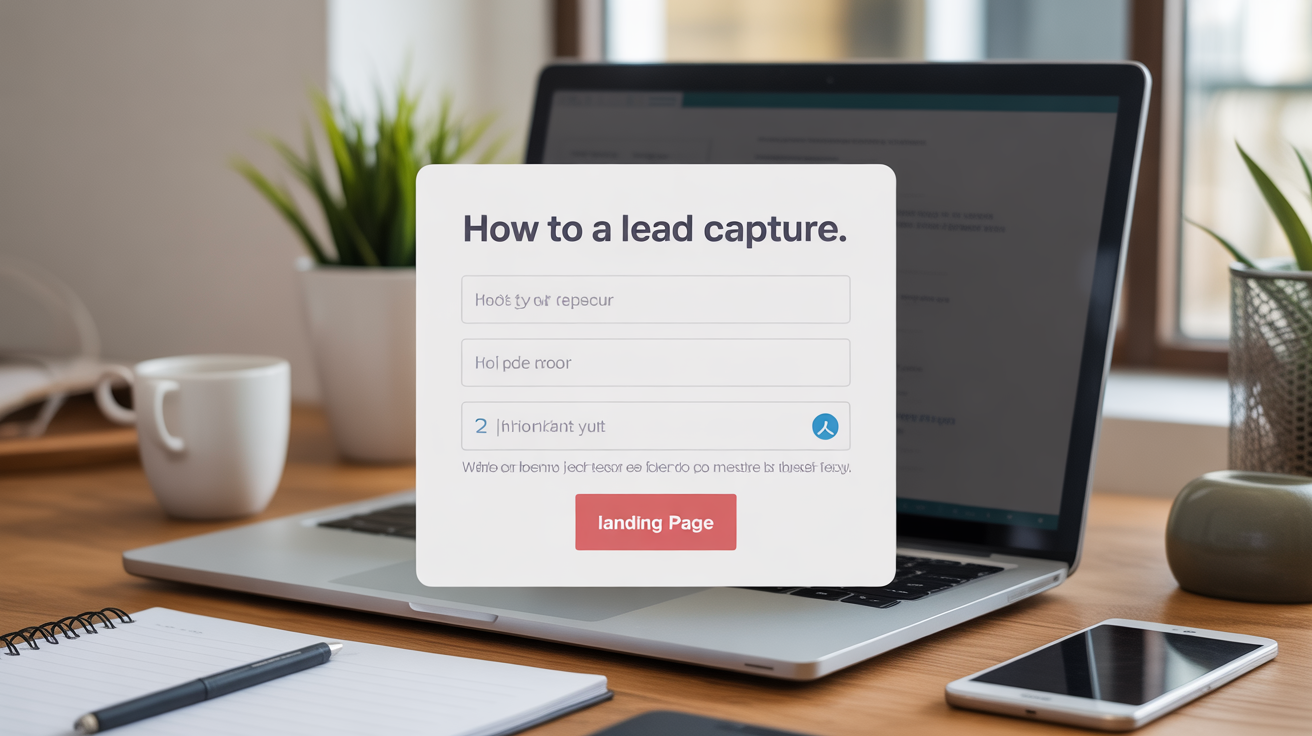
Now that we have established the strategic context, let’s address the practical steps required to embed a lead capture widget on a landing page. This process typically involves generating a small snippet of JavaScript or HTML code from your lead generation platform and pasting it into the designated area of your landing page builder.
Generating the Widget Code
The first step always happens within your AI lead generation software, a platform like Pyrsonalize, for example. These tools are designed to simplify the technical process for marketers and business owners.
- Design the Form: Customize the appearance, fields, and success message of your widget within the platform’s editor, ensuring brand consistency.
- Define Trigger Rules: Specify whether the widget is inline, a popup (exit intent, time delay), or a flyout. Target specific URLs or page groups if necessary.
- Generate Embed Code: The platform will automatically generate a unique snippet of code, usually JavaScript, designed to load and display your widget correctly. This code is unique to your form and tracks its performance.
Crucially, ensure your platform provides asynchronous loading code. Asynchronous loading means the widget loads independently of the rest of the page content. If the widget server is slow, it won’t prevent the rest of your landing page from loading quickly. By ensuring your widget script loads asynchronously, you protect your PageSpeed Insights score, aiming for a script execution time under 150 milliseconds to maintain a high Core Web Vitals standing. Page speed is a ranking factor and a conversion factor, do not compromise it.
Embedding Methods: Header vs. Body
Where you place the code snippet depends entirely on the type of widget and the capabilities of your landing page builder (e.g., Unbounce, Webflow, WordPress, etc.).
Most lead generation widgets are embedded using one of two methods:
1. Global Header Injection (Recommended for Popups/Flyouts)
If your widget is designed to appear across multiple pages or based on user behavior (like a chatbot or an exit-intent popup), the code should be placed in the <head> tag of your landing page template. This ensures the tracking script loads immediately when the page loads, allowing it to monitor user actions and trigger behavioral rules accurately.
Process:
- Access your landing page builder’s settings or “Scripts” section.
- Find the area designated for “Header Scripts” or “Code Injection.”
- Paste the entire JavaScript snippet provided by your lead generation tool here.
2. Inline Body Placement (Required for Embedded Forms)
If you are embedding a static form or an inline widget that needs to appear in a specific location on the page (e.g., within a pricing section or below a bulleted list of benefits), you must paste the code directly into the body content.
Process:
- Open your landing page editor in the “Design” or “Content” view.
- Drag an “HTML Block,” “Custom Code Block,” or “Embed Widget” element to the desired location.
- Paste the widget code specifically into this block.
Always test the page immediately after embedding. Check for styling conflicts, responsiveness across different devices, and confirm that the form submits correctly and the lead data flows into your CRM. However, simply embedding a static form is a 2018 tactic. In 2025, the embedded code is merely the pipeline for advanced, AI-driven qualification. Let’s explore how to leverage this technical foundation for intelligence.
Optimizing the AI-Powered Lead Capture Experience
Embedding the code is just the technical prerequisite. True optimization in 2025 involves leveraging AI to enhance the capture mechanism itself. This moves the widget from a passive data collector to an active, intelligent sales assistant, ensuring rapid follow-up and better resource allocation.
Leveraging Conversational AI Chatbots
Traditional forms are static. Conversational widgets, often AI-powered chatbots, offer a dynamic alternative. Instead of presenting a long list of fields, the chatbot asks qualifying questions one at a time, mimicking a human conversation.
This approach significantly lowers perceived friction. Visitors are typically 40% more willing to answer three quick questions in a chat interface than fill out three fields on a standard form, accelerating the initial qualification process.
Platforms like Pyrsonalize allow you to configure these AI assistants to handle initial qualification. They guide the user down specific paths based on their answers, sending high-intent leads directly to a sales rep’s calendar, while routing low-intent visitors to nurture content.
Want to see how this works in practice? Explore our strategies on how to Implement Conversational AI Chatbots for Leads.
Instant Lead Qualification and Scoring
The moment a lead capture widget submits data, the intelligence phase begins. For SaaS businesses and SMBs focused on efficiency, waiting hours for manual qualification is unacceptable. AI instantly scores the lead based on the data submitted, company size lookups, and behavioral history within seconds.
This instant qualification allows for rapid personalization of the post-conversion experience. For example, a high-scoring lead from a large company receives an immediate, personalized follow-up email sequence, while a lower-scoring lead receives slower, content-focused nurturing. This reduces sales response time, a critical factor in deal velocity.
Integrating your widget data flow with robust AI systems ensures that every captured lead receives the appropriate attention without manual sorting. This is the cornerstone of automated outreach. Learn more about optimizing this backend process with our guide on AI Automation: Qualify Leads Instantly in 2025.
A/B Testing Widget Performance
Never rely on intuition. We are data-driven marketers. Once you embed a lead capture widget on a landing page, you must commit to continuous testing to maximize its efficacy. The intelligence of your back-end system is wasted if the front-end capture mechanism is sub-optimal.
What should you test?
- Form Length: Four fields vs. five fields, testing the friction tradeoff.
- CTA Copy: “Get the Guide” vs. “Download Your Free Ebook Now.”
- Widget Type: Inline form vs. Flyout widget, measuring intrusion versus visibility.
- Trigger Timing: Popup after 10 seconds vs. Popup on 50% scroll, optimizing for engagement.
Focus on achieving statistically significant results (P-value < 0.05) and aim for a minimum sustained conversion rate lift of 3-5% before declaring a winner and rolling out the change universally. Small tweaks to the widget’s design, copy, or trigger mechanism can yield massive gains in conversion rate. Even a 1% increase in conversion can translate to dozens or hundreds of new qualified leads monthly, depending on your traffic volume. Now, let’s ensure the design elements are equally compelling.
Best Practices for High-Efficacy Widget Design
The technical deployment is only half the battle. The design and messaging surrounding the widget must compel the visitor to act. This relies heavily on conversion-centered design principles, ensuring seamless alignment between the ad, the page, and the capture form.
Message Match and Headline Consistency
Message match is a non-negotiable best practice. If a visitor clicks an ad that promises a “Free 2025 SaaS Trend Report,” the landing page headline, and the widget headline, must confirm that exact promise.
Inconsistent messaging causes confusion and immediately breaks trust. Visitors hit the back button because they feel they landed in the wrong place. The copy on your widget should be a short, succinct extension of the main landing page headline.
Example Flow:
- Ad Copy: “Download the Ultimate Guide to B2B Lead Scoring.”
- Landing Page H1: “The Ultimate Guide to B2B Lead Scoring in 2025.”
- Widget Headline: “Get Your Free 2025 Lead Scoring Guide Instantly.”
Consistency signals to the visitor, and to PPC algorithms, that they are exactly where they intended to be. This simple alignment dramatically improves conversion rates by reducing cognitive dissonance.
The Power of Social Proof and Urgency
Trust is the biggest hurdle in any online transaction, especially when asking for personal data. Social proof mitigates this risk by demonstrating prior success.
Within or immediately adjacent to your lead capture widget, include elements that validate your offer:
- Download Counts: “Join 15,000 other marketers who have downloaded this report.”
- Trust Seals: If applicable, use security badges (e.g., SSL secured) or anti-spam statements (“We respect your privacy. No spam ever.”).
- Testimonials: A very short, punchy quote from a recognizable client near the form.
Additionally, create urgency where appropriate. If the offer is time-sensitive (e.g., a webinar registration closing soon), clearly state the deadline near the form fields. Urgency compels immediate action, preventing the visitor from deferring the decision and potentially forgetting the offer.
Writing an Actionable Call to Action (CTA)
The button text on your widget is your final command. Generic CTAs like “Submit” or “Click Here” are lazy and ineffective. Your CTA should be actionable and describe the value the user receives, reinforcing the benefit proposition.
Consider the difference:
| Ineffective CTA | High-Converting CTA |
|---|---|
| Submit | Get My Personalized Demo |
| Download | Send Me the Ebook |
| Sign Up | Start My 14-Day Free Trial |
The best CTAs use first-person language (“My”) and focus on the benefit, not the action. This subtle psychological shift reinforces the idea that the visitor is gaining something valuable, making the exchange worthwhile.
Mastering how to embed a lead capture widget on a landing page is a core competency for any modern marketer. It requires technical precision, conversion psychology, and seamless integration with intelligent back-end systems. By following these strategic steps, you ensure your landing pages are not just informational hubs, but powerful, automated lead generation machines.
Ready to take the next step?
Utilize the featured AI lead generation platform (‘Pyrsonalize’) for automated outreach and prospecting, or implement the detailed strategies provided in the guides.